
Utilities
Utilities are available on both the touchscreen and the Web UI. The touchscreen menu covers day-to-day tools such as recording and snooze. The Web UI Utilities > System page adds device status, maintenance actions, and factory reset.
Touchscreen
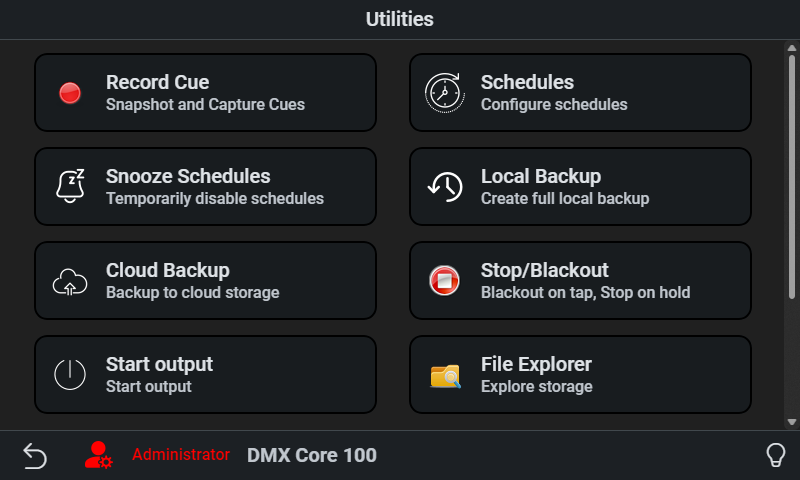
Record Cue
This is where you can record new cues using the input mapping and Recording protocol on Inputs.
Schedules
Create and edit schedules directly on the device (admin mode).
Snooze Schedules
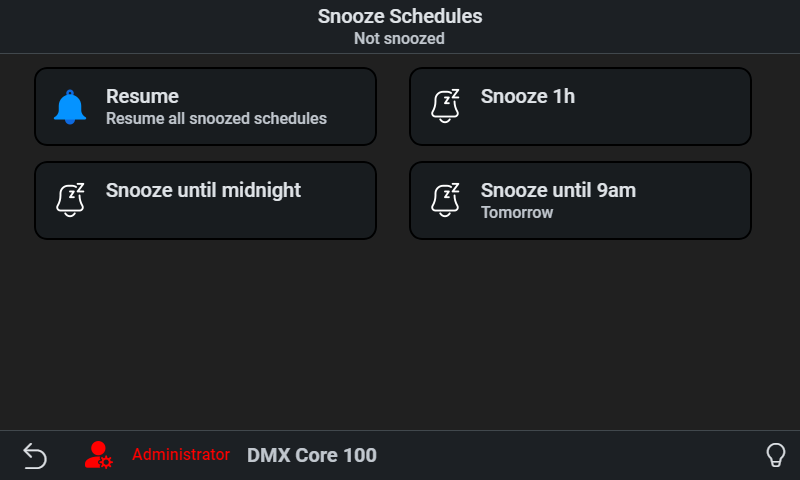
Here you have Resume, Snooze 1h, Snooze until midnight, and Snooze until 9am. Use this to keep tonight’s schedule from starting so you can run a custom look. Snooze does not stop a schedule that is already running. The schedule will automatically resume so you won’t forget to turn it back on. The top text shows the current snooze status. The Web UI has no snooze page.
Device Operations
On an Appliance, Device Operations includes Releases - the in-app software picker. See Software Updates.
Web UI
The Utilities sidebar group includes Audit Log, Device Monitor, Output Monitor, Channel Tester, Record, Releases (Appliance, Windows, and macOS only), Remote Screen (Appliance only), and System.
Releases
Utilities > Releases is the in-app software picker on the Appliance and on Windows and macOS desktop installs. On the Appliance touchscreen the same picker is Utilities > Device Operations > Releases. A Snap Linux install hides the Web UI item - snapd updates the app outside the UI, and Utilities > System reports that instead.
See Software Updates for version numbering, the touchscreen path, isolated networks, and why you should not re-flash just to change software version.
Remote Screen
Utilities > Remote Screen shows the Appliance touchscreen in your browser and lets you operate it with the mouse, just like tapping the screen. It is meant for troubleshooting from a distance - seeing what the screen shows and trying something - rather than day-to-day operation. It works on the local network and through the cloud tunnel; through the tunnel, expect some lag.
Remote Screen is only available on the Appliance; the sidebar item is hidden on desktop installs.
- Go to Utilities > Remote Screen
- Click Connect
- Click on the screen image to operate the device, then click Disconnect when you are done
- Up to two viewers can be connected at the same time. A third is told that two viewers are already connected and can try again when one of them disconnects.
- While anyone is connected, a small red triangle appears in the top-right corner of the touchscreen, so people at the device can see that it is being viewed remotely. It never blocks a touch.
- The browser viewer does not need the VNC password - signing in to the Web UI is enough.
- It requires the Remote Screen permission. The built-in Admin role has it; Operator, Standard, and custom roles only get it when you turn it on in the role editor.
Using a VNC viewer app
The VNC Viewer App card on the same page is for connecting with a VNC viewer installed on your computer instead of the browser. You need to install one first; RealVNC Viewer is recommended. The card shows the Address, Username (vncuser), and Password to use. Launch RealVNC Viewer opens RealVNC Viewer and connects to the device as vncuser; enter the password when asked.
A viewer app connects over the local network, so your computer must be on the same network as the device. It does not work through the cloud tunnel - use the browser viewer for that.
The VNC password changes every time the app starts, including after a reboot or a software update, so check the card for the current one. To keep a password that does not change, set Fixed VNC Password under Device > System. Regenerate Password creates a new password right away; it requires the Change System Settings permission and is not shown when a fixed password is set.
System
Utilities > System shows device identity (hardware ID, software version, license) and live resource usage. Maintenance actions include taking a screenshot of the touchscreen, downloading logs, re-initializing ports, and cleaning up leftover files.
On the Appliance the page also shows the Time Sync Status, offers Set System Clock from browser when the time is not synchronized, and has a Blink switch that flashes the front LED so you can find the unit. On wall-mounted appliances, Restart and Reboot are also available to users with Device Operations permission.
Internet Passthrough, when enabled, appears on this page as well. The section is hidden by default - turn on Enable Internet Passthrough from Device > Network (via the network settings link) to show it.
Factory Reset
Factory reset returns the device to empty first-start defaults while keeping the operating system, network configuration, and device license. Use it when you want a clean show setup without re-flashing the unit.
How to run it
- In the Web UI, go to Utilities > System
- Scroll to Danger zone and click Factory Reset
- Type RESET (the confirm button stays disabled until the word matches)
- Click Factory Reset in the dialog
On a wall-mounted appliance the service restarts automatically. On the Windows, macOS, or Linux desktop app, the application closes after a few seconds - start it again from the usual shortcut.
After the reset:
- Sign in as Administrator with PIN 1111, then change that PIN
- All other user accounts, roles, and API keys are gone
- Existing Web UI sessions stop working - you will need to log in again
- Show name, output configuration, and other application settings return to defaults
- Local backups remain and can be restored from Backup & Restore
What is deleted
- Cues, sounds, images, and user-installed plugins
- Presets, timelines, schedules, effects, custom menus, input triggers, and output events
- Users, roles, and API keys
- Fixture layout (replaced with the empty template)
- Application settings except the network fields listed below
What is kept
- Network settings (IP address, Wi-Fi, hostname override, NTP server, internet passthrough)
- Device license (a hardware appliance stays registered in the portal; user accounts and API keys do not)
- Local backup files, so you can restore a previous show afterward
- Extra folders you added in the data directory that are not show data
Factory reset does not rewrite the operating system image. If the device will not boot or you need a full OS recovery, see Re-flash Instructions.