
DMX Core Pico 2 Ports and Wiring
DMX ports
The Pico 2 has two isolated DMX512 ports, port A and port B, on Phoenix-style connectors.
| Port A | Port B | |
|---|---|---|
| Send DMX | Yes | Yes |
| Receive DMX | Yes | With a serial port per DMX port |
| RDM | Yes | Yes |
| Default behavior | Receives until a program sends to it, then sends | Sends once a program sends to it |
How a port behaves can be changed with its direction setting.
A serial port per DMX port
By default the Pico 2 is one interface with one serial port, and lighting software reaches port B through a two-port extension message. Software that drives only one port per interface, such as Lightkey and other software built on OLA, can then use only port A.
Turn on a serial port per DMX port and the Pico 2 shows up as two interfaces, one per DMX port:
| First serial port | Second serial port | |
|---|---|---|
| DMX port | A | B |
| Name | DMX Core Pico 2 A | DMX Core Pico 2 B |
| Ports reported | 1 | 1 |
| Send and receive DMX | Yes | Yes |
| RDM | Yes | Yes |
- Each serial port is a complete one-port interface with its own serial number, so software that tells interfaces apart by serial number sees two.
- Two programs can each drive a port, or one program can drive both from two universes.
- Port B can receive DMX in this mode.
- Settings belong to the board, not to a serial port: both serial ports, and the utility, see the same settings.
- On Windows, the second serial port gets its own COM port number.
To turn it on, open the DMX Core USB Interface Utility, click Settings…, then Advanced…, and set Serial ports to One per DMX port. Saving restarts the interface; software that has it open loses its connection while it restarts, and the computer finds the new serial port by itself. The setting is kept across power cycles and firmware updates. See Settings.
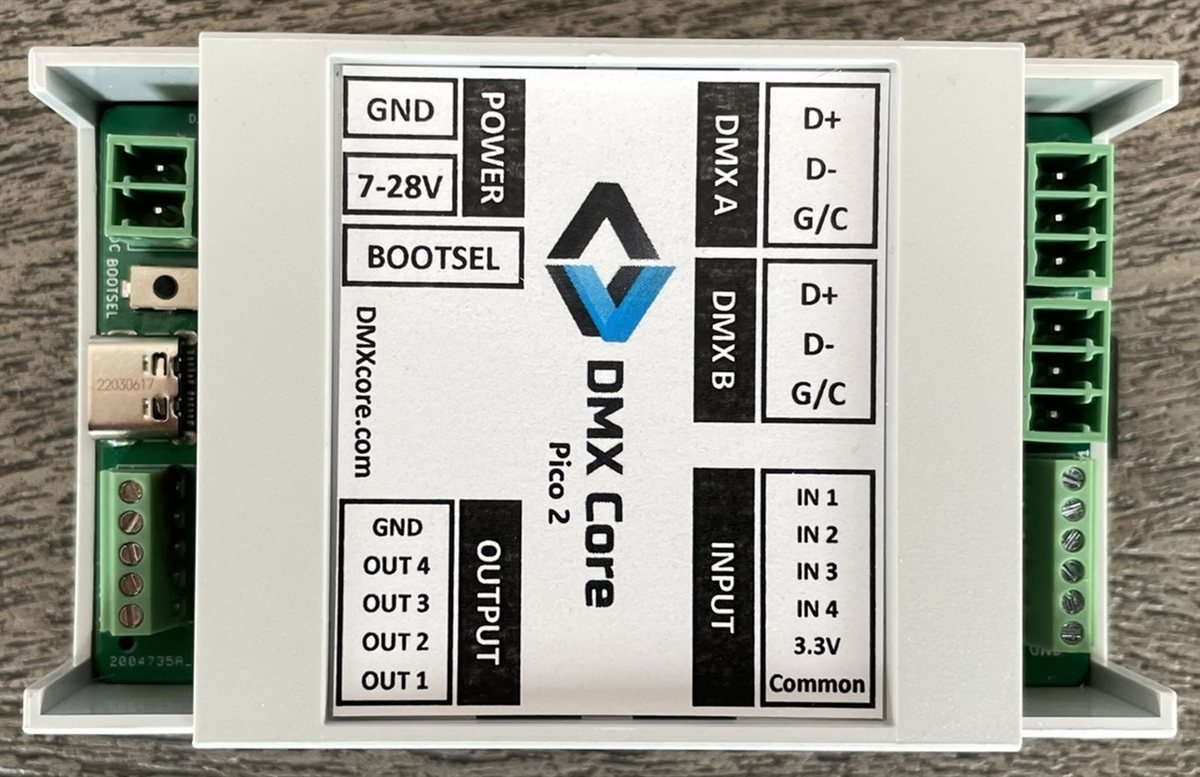
The label on the case names each connector: DMX A and DMX B are the two DMX ports, next to the digital INPUT terminal. POWER, the BOOTSEL button and the USB-C connector are on the other side.
DMX pin out
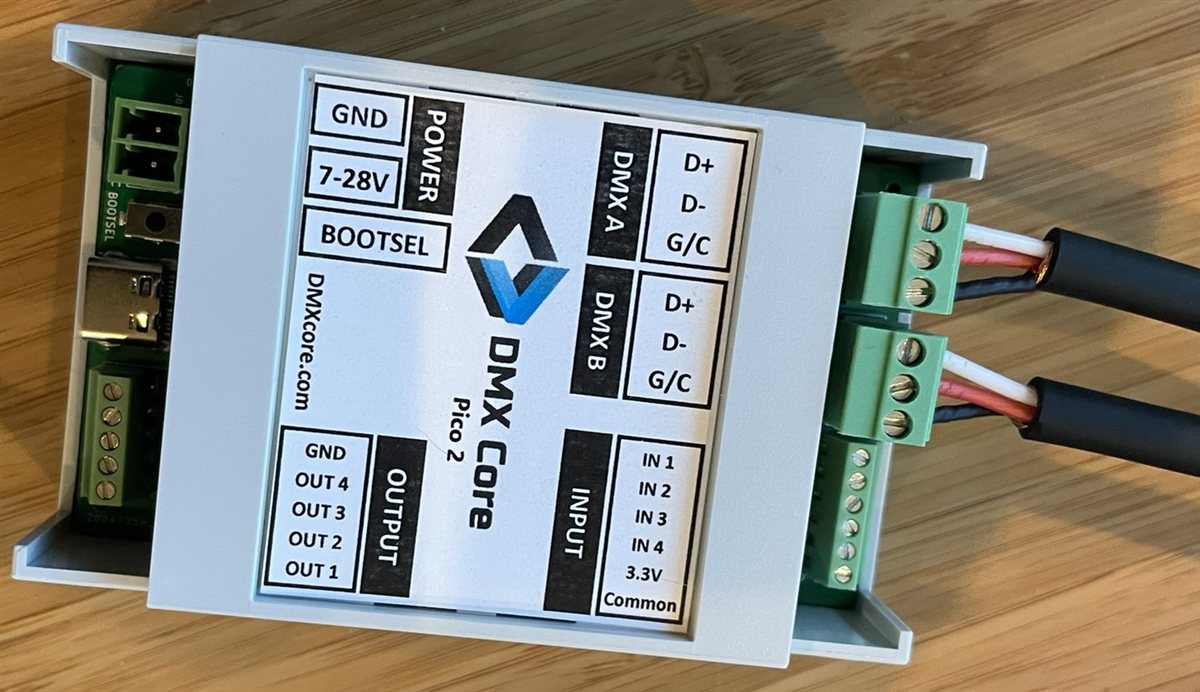
Each DMX connector has three terminals. Newer labels say D+, D- and G/C; older ones say A, B and G:
| Terminal | Signal | XLR pin |
|---|---|---|
| G/C (G) | Ground/Common | 1 |
| D- (B) | Data- | 2 |
| D+ (A) | Data+ | 3 |
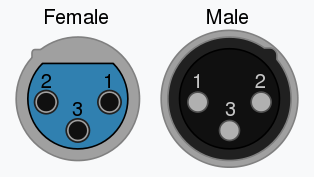
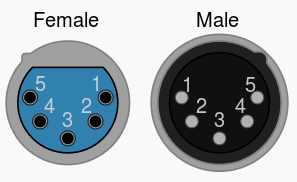
The same pin out is on the Pico 2 Pin out page.
Each port has a fail-safe terminator built in, so there is nothing to switch when a port changes between sending and receiving.
Power
Power the Pico 2 from the computer’s USB port. Leave the power input (7-28VDC) disconnected while the board is connected to a computer. On hardware v1.1 and v1.2, USB may not connect while the power input is in use. See Errata.
LEDs
| LED | Meaning |
|---|---|
| Status | Slow blink: no computer connected yet. On: connected. Off: the computer has suspended the USB port (for example while it sleeps). |
| Port A | On with a short flicker every 8 frames: sending or receiving DMX. Off: idle. |
| Port B | On with a short flicker every 8 frames: sending DMX. Off: idle. |
The Identify button in the USB Interface Utility blinks the LEDs for 10 seconds, so you can tell which interface is which.
Digital inputs and outputs
The USB Interface firmware does not use the digital inputs, digital outputs or the expansion pins.
© 2026 DMX Pro Sales, LLC. All rights reserved. DMX Core is a registered trademark of DMX Pro Sales, LLC. Other product names are trademarks of their respective owners.