Skip to content 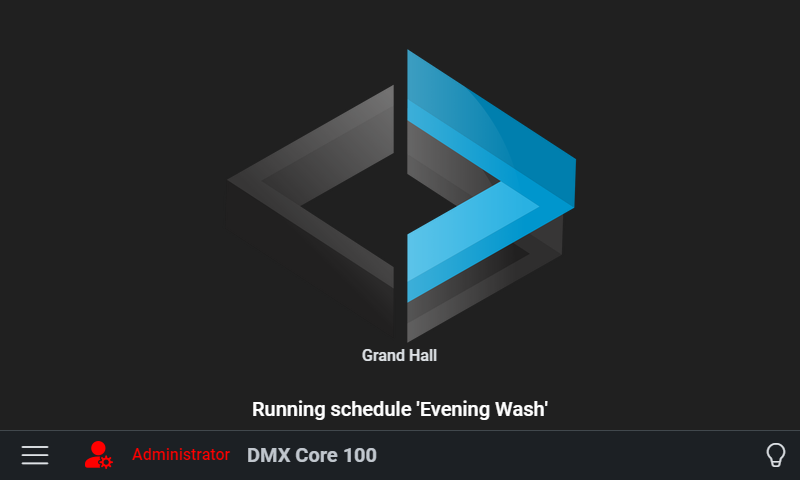
Main
- Record and playback of dynamic DMX, up to 800 universes at 40 Hz (or 600 at 60 Hz)
- Playback of WAV and FLAC audio files via USB or onboard optional audio board, with pause/scrub controls
- Light fixture control with profiles and multi-function support
- Faders page: console-style vertical faders for every dimmable fixture - zone submasters, grand master, FLASH buttons, fine-drag precision, and fade-to-level (0.5–30 s device-side fades)
- Multi-room/zone support with zone-based fixture grouping
- Presets with smooth fades, copy/paste, effect assignment, and ambient (fallback) presets
- Effects engine with 14 built-in generators - breathing, fire, chaser, strobe, Sound Reactive (steps on detected beats), and more - with zone-level control
- Beat-synced effects: tap tempo, metronome modes, and audio-trigger detection (steps effects on beats in DMX Core playback or a live USB sound card input)
- Timeline editor for sequencing cues, presets, sounds, levels, and scripts - with audio waveforms and intensity profiles
- Timecode chase: lock a timeline to incoming Art-Net ArtTimeCode so Play joins the site clock instead of starting at t=0
- Playback layers and priorities for concurrent playback control
- Channel Rules: cap, scale, copy (multipatch) or repeat DMX channels on the output, whatever drives them, without changing the recording
- Scheduler with fixed and sunrise/sunset times, dimmer settings, and stop-at-completion
- User scripting in JavaScript - automate fixtures, playback, levels, and messaging with a built-in editor
- Favorites for quick access to frequently used cues, presets, and sounds
- Control surfaces: Stream Deck, MIDI controllers, Key Digital keypads, and OSC panels with two-way feedback
- Control Values: bridge Q-SYS/Symetrix DSP levels, selectors, and mutes to faders, menus, and triggers
- Installer-customizable menus with nested levels, sliders, icons, schedule toggles, status indicators, and guest access
- Link multiple units: a Satellite Unit controls a Main Unit from its own touchscreen
- Map outputs to a combination of ArtNet/sACN/KiNet/TPM2.net/DMX universes
- Support for optional 2-port DMX-512 board and ADIO board (audio output, 2x DMX-512, 4 digital inputs)
- Record from any source (DMX-512, ArtNet, sACN or KiNet), plus live monitor feature
- Input triggers via DMX, OSC, MQTT, HTTP, TCP, UDP, and digital inputs - run actions or drive levels
- Output events for external notifications (MQTT, HTTP, OSC, serial) when actions occur
- MCP Server: AI clients such as Claude Desktop and Cursor can list entities, play cues, set levels, and control fixtures over the Model Context Protocol, secured with MCP-only API keys
- Integration API: a versioned HTTP + WebSocket contract for external control systems such as Bitfocus Companion, Crestron and Node-RED - list and execute cues, presets, zones and Control Values, and receive live state for button feedback. A Bitfocus Companion module is available.
- Plugins: integrations install and update in one click from the built-in registry, and anyone can publish a plugin with the open .NET SDK
- Home Assistant: zones, presets, cues, schedules and Control Values appear over MQTT discovery, and the device can fire Home Assistant scenes, scripts and automations
- Stop, Blackout and Output Off as three distinct global states - Blackout is a latched switch like the key on a console, with playback and audio running on underneath
Security
- Three main modes of access: admin, user and lock-down
- Screen lock with 4-digit PIN code
- Multiple user accounts with role-based permissions
- Web UI login per user with PIN or password
- Guest access limited to designated custom menus
- Admin Web UI with auto log-off
- Lock-down mode prevents admin access via touch screen (only accessible via Web UI)
- Admin PIN recovery - via another admin, the cloud portal, or offline challenge/response
- User tokens for programmatic access
- Audit log tracking all system actions
Hardware
- 4.3” touchscreen, or the larger 7” model with the same capabilities
- Powerful compute module based on Raspberry Pi CM4
- Knob to navigate without touching the screen, plus used for easy control input
- RTC clock with (optional) battery backup
- Power over Ethernet or 8–28 VDC power input
- Uses max 8 watts of power
- Black bezel (3D-printed, STL files are available to customers)
- Aluminum mounting frame
- 1 GbE Ethernet, supporting up to 800 universes at 40 Hz (or 600 universes at 60 Hz) for network streams
- MicroSD and USB-A for file storage/bootloader updating
- Supports USB DMX output via Enttec Pro/DMXking USB device (up to 4 universes)
- Supports 2-port DMX512 board or ADIO board (audio output, 2x DMX-512, 4 digital inputs) via piggy-back connector
- Support stereo audio playback via USB, or audio output board/ADIO board (output only) via piggy-back connector
- Designed to be installed in a 2-gang electrical box; optional desk stand and 19” rack mount available (3U for the 4.3” model, 4U for the 7”)
Administration
- Full-featured Web UI accessible from any browser on the network (HTTP/HTTPS)
- Cloud tunnel for remote access from anywhere (no VPN required)
- Cloud portal for remote fleet management - device monitoring, email health alerts, remote reboot/backup, and software updates (portal.dmxcore.com)
- Remote configuration via BalenaCloud (secure VPN access)
- Configure settings via Web UI and API
- Remote software upgrade (requires internet connectivity)
- Admin/User/Lockdown mode
- DHCP or Static IP configuration on device or Web UI
- Wi-Fi via USB adapter, with per-adapter DHCP/static addressing from the web and touchscreen UIs
- Device nickname (displays on-screen)
- Device network hostname override
- Time zone, language/region, and device location (for sunrise/sunset schedules)
- NTP server configuration and browser time sync
- Auto log-off of admin user
- Web Admin UI with features to view screenshot of the device, perform upgrades, view log file, restart and more
- Factory reset from the Web UI - wipe show content while keeping network settings, license, and local backups
- Remote Screen to view and operate the touch screen from a browser, on site or through the cloud tunnel, or with a VNC viewer app
- Backup/Restore to local files and cloud, including S-Play backup import
- Device monitor with discovery and health monitoring of Advatek, DMXking, and Stream Deck hardware
- Custom menu for locked-down device operation
- Demo data import for quick setup and testing
Lighting
- ArtNet, sACN (E1.31) and KiNet (v1 and v2) support up to 800 universes at 40 Hz (or 600 universes at 60 Hz)
- TPM2.net output for pixel controllers, and MQTT output for IoT devices
- Legacy protocols such as Strand ShowNet available on request - open an issue or contact DMX Pro Sales if you have a site that needs one
- Supports sync packets over ArtNet, sACN and KiNet for multi-universe sync
- Per-output sACN send priority, with per-cue priority overrides and a global merge mode (Blend/HTP)
- Support for USB devices (Enttec Pro and DMXking devices)
- Optional 2-port isolated DMX512 board or ADIO board (audio output, 2x DMX-512, 4 digital inputs) - both mount at the back of the DMX Core 100
- Trigger cues, playback, presets, dimmers and more from QSC Q-Sys and Symetrix DSP cores
- Remote control via OSC (to be used with software like TouchOSC and more), MQTT, and MIDI
- Import light fixture profiles from Lightkey, Daslight (SSL2), GDTF, and the Avolites Personality Library, or generate a profile from the fixture manual with an AI assistant
- Stream routing: route incoming sACN, Art-Net or DMX-512 to any output, including smart-bulb plugins, merged with the DMX Core 100’s own playback - several input protocols at once, so a console on sACN, one on Art-Net and a DMX-512 port route side by side, with loop protection
- Visualizer: 2D live view - place fixtures on photos of the venue and watch presets, fixture control and effects light them up
- Copy trims: dim individual copies of a multi-copy fixture, with Solo to identify each unit
- Passthrough feature on DMX ports
- Fade in/out and cross-fade cues, including masking for DMX channels that shouldn’t fade
- Bounce playback (play cues forward and backwards for simple seamless looping)
- Import cues from DMXking products, Pharos Controls DMX Recorder, and Lightjams Art-Net recorder videos
External Control
- Build custom UI for external controllers like QSC/Q-Sys and Symetrix
- Up to 4 columns of controls based on a mix of buttons and faders
- Control multiple levels on single fader (switch between rooms/zones)
- Program push knob to control mute or switch level zones
- Two-way updates: see the current status and levels on all connected devices
- Compatible with Q-Sys from QSC and the Symetrix SymNet DSPs
- Uses built-in control interface of QSys and Symetrix - no scripting or extra licenses required
- Customize buttons, icons and colors
- Support multiple pages, accessible via custom menus
- Remote management via Web Admin UI and VNC
- Dynamic reload when configuration updated, completely remotely
Customization
- Build customized menus for end-user control - buttons, sliders, and source selectors
- Replace home screen logo, backgrounds and icons
- Develop custom menus from Web UI and see the result on the touch screen
- Set custom properties on cue playback in menus like fade in/out, loop counts
- Supports multiple levels, header logo and much more
