
Device Monitor
The Device Monitor discovers hardware on your network and keeps an eye on it - so you find out about a failing pixel controller or an unplugged interface before the audience does.
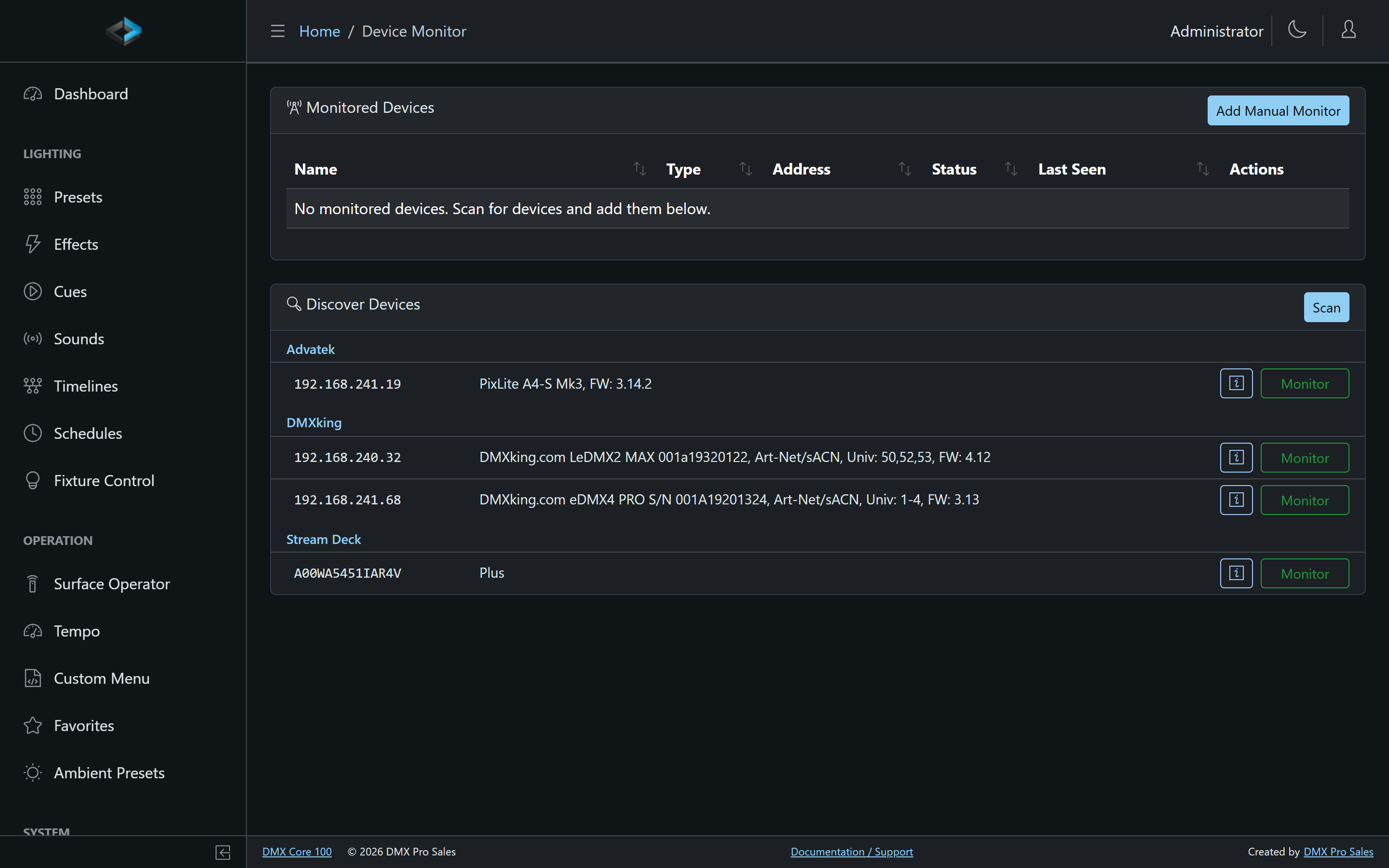
Discovering Devices
Click Scan to search the network. Discovered devices are listed with their identity read straight from the hardware:
- Advatek PixLite pixel controllers - model, firmware, and IP; see the Advatek Lighting integration for the deeper features (per-port Create Output, electrical monitoring, drift detection)
- DMXking interfaces (eDMX, LeDMX, …) - model, serial, supported universes, and firmware
- Stream Deck devices connected over USB
- RDM devices reachable over Art-Net
Click Monitor on a discovered device to add it to the monitored list. Devices that can’t be discovered automatically can be added with Add Manual Monitor.
Discovered devices are tracked by MAC address, so a device that moves to a new IP address (a DHCP lease change, say) is picked up at its new address on the next Scan. The address of a network device can also be changed by hand in its Edit dialog.
For an Advatek controller, the monitor editor includes Expose web UI via tunnel: when the portal tunnel to this Core is open, that controller’s own web UI becomes reachable through it. See Cloud Tunnel. Requires the same remote-access subscription as the Core tunnel.
Monitoring
Monitored devices are checked periodically. The list shows each device’s status and last seen time, and status snapshots are sent when a device connects and at startup. Events (connected, disconnected, configuration drift, out-of-range readings) flow into the system for alerting and history.
If the device is registered to the DMX Core portal, its monitored peripherals are reported there too - including email alerts when a device or peripheral enters a problem state.
For real-time inspection of the DMX data itself, see the Output Monitor.