
Output Config
Output configuration defines how the DMX Core 100 sends DMX data to your lighting fixtures - which protocols, universes, and physical ports to use.
Touchscreen
On the touchscreen, navigate to Main Menu > Settings > Output Configuration to see the list of outputs.
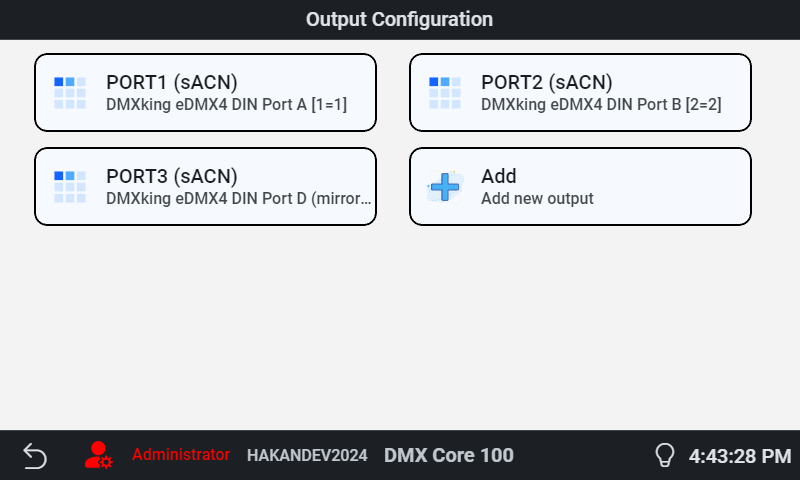
Tap an output to edit it, or Add to create a new one.
Web UI
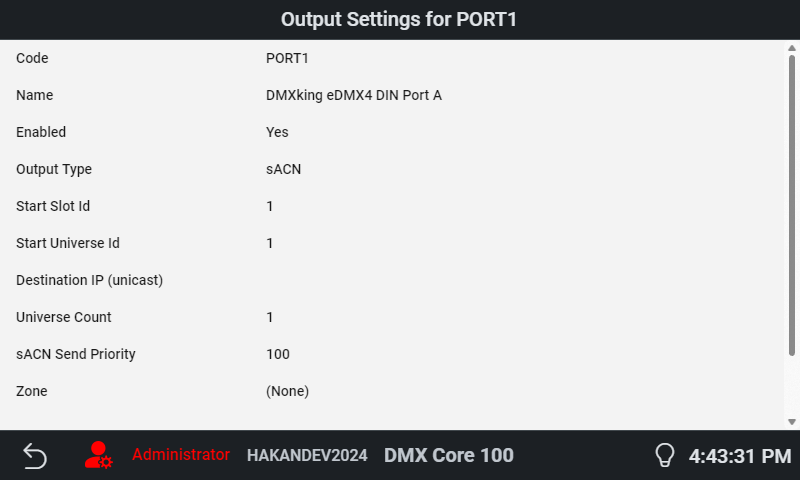
In the Web UI, go to Lighting Setup > Outputs for the same configuration with additional detail.
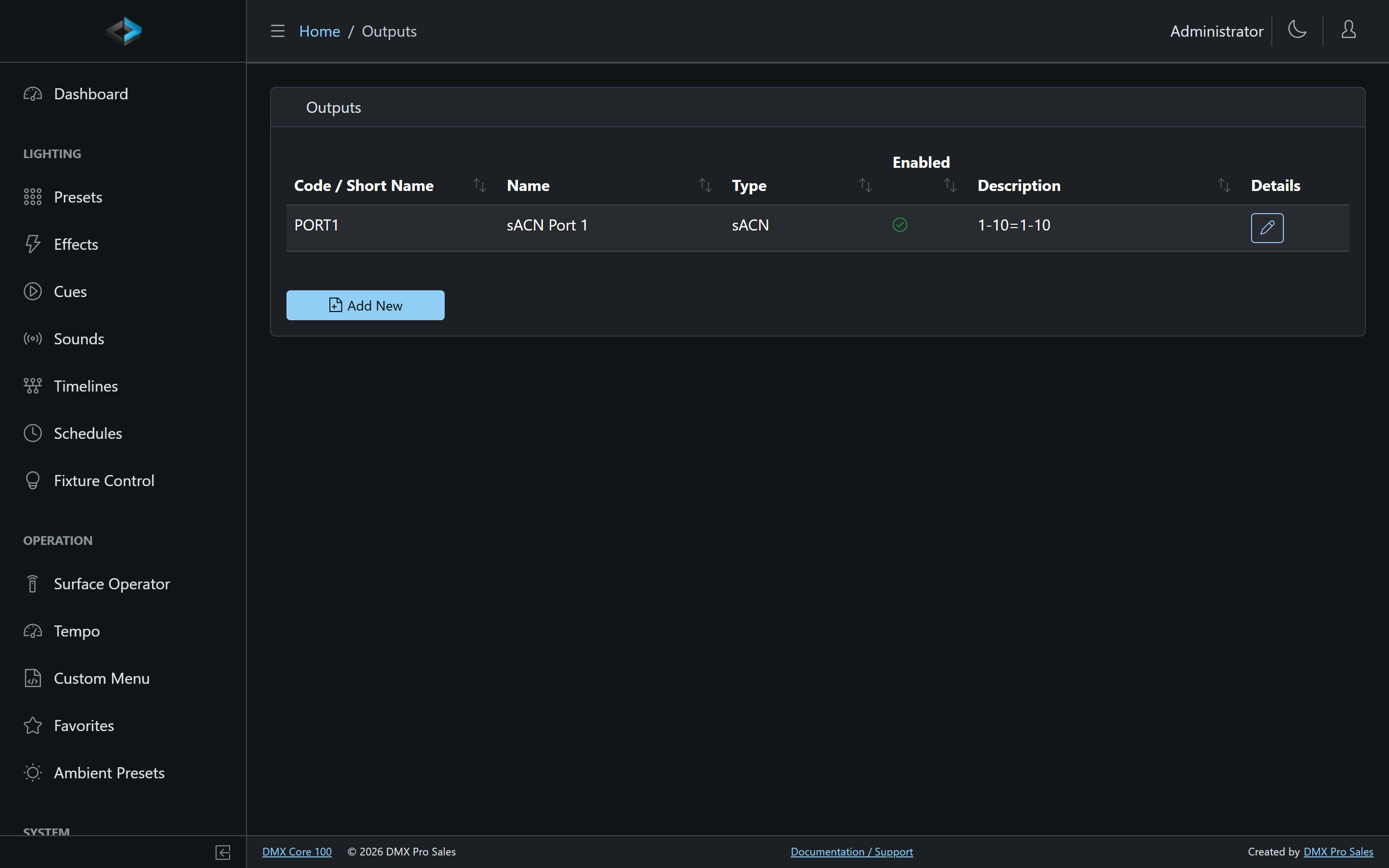
Output Settings
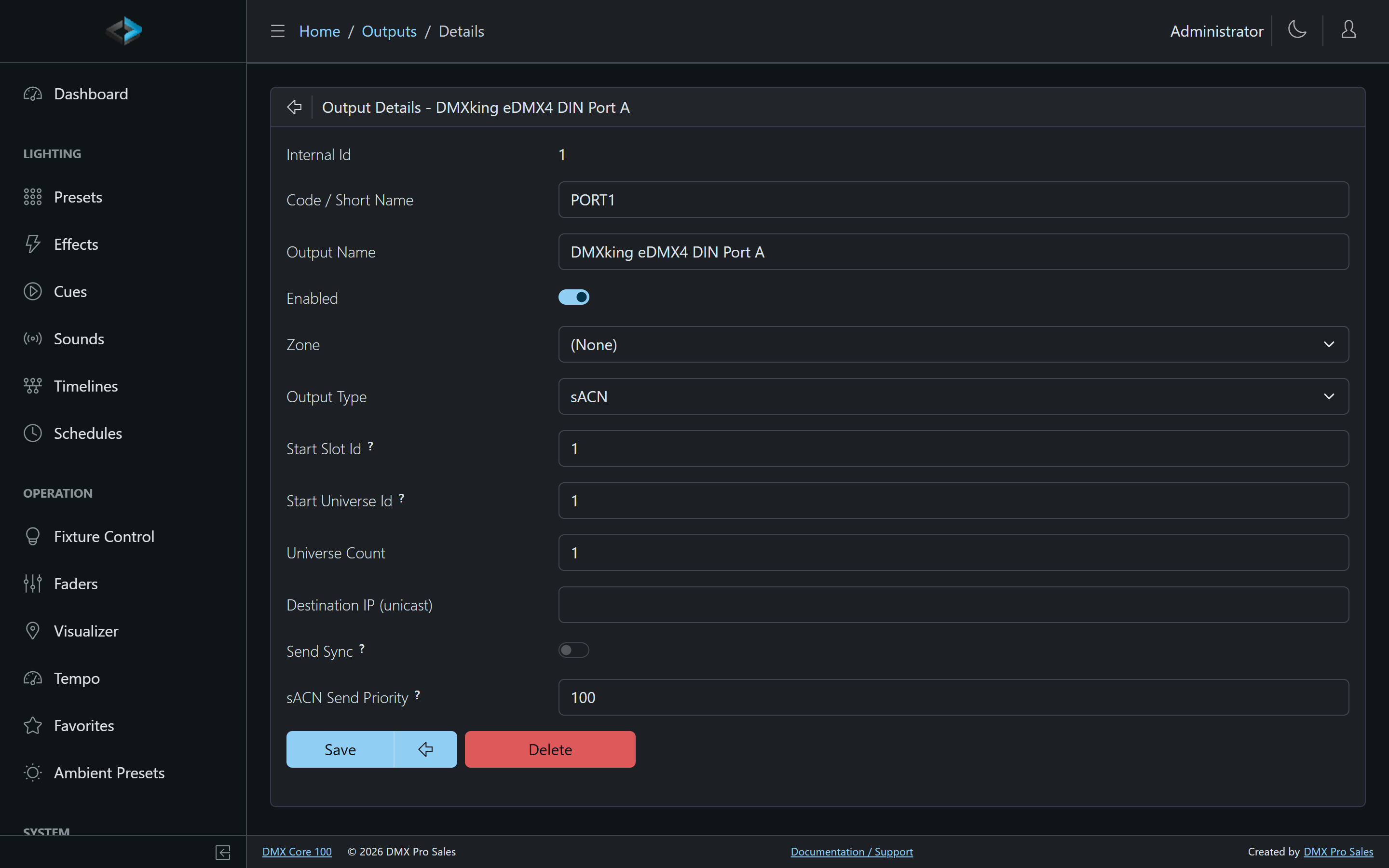
Each output can be configured with:
- Code / Name - identifier and display name
- Output Type - sACN (E1.31), ArtNet, KiNet (v1/v2), TPM2.net, USB DMX, or a plugin-provided type such as SHELLY, LIFX, WIZ, or GOVEE
- Start Slot Id / Start Universe Id - which internal slot maps to which on-the-wire universe. sACN universes start at 1. Art-Net input rows count from 0 (the field help says so). The UI formats Art-Net as net:subnet:universe by subtracting 1, so a typed 1 displays as 00:0:0.
- Universe Count - how many consecutive universes this output spans
- Destination IP - unicast target (protocol dependent; leave empty for multicast/broadcast)
- Send Sync - emit sync packets for multi-universe synchronization
- sACN Send Priority - the per-output sACN priority used by downstream receivers when merging against other sources (see Layers & Priority)
The DMX Core 100 supports up to 800 universes at 40 Hz (or 600 universes at 60 Hz) for network streams, and up to 4 universes via USB DMX devices (Enttec Pro, DMXking).
Mirroring Outputs
Any number of outputs can use the same slots, and each of them sends the same DMX. That lets you mirror a universe in any combination of protocols and destinations - for example sACN and Art-Net at the same time, or sACN to a pixel controller, Art-Net to a node, a USB DMX interface and a plugin output, all fed from slot 1:
- In the Web UI, go to Lighting Setup > Outputs and click Add New for each destination (on the touchscreen, tap Add in Main Menu > Settings > Output Configuration).
- Choose each output’s Output Type and give it a Start Slot Id range that covers the slots to mirror.
- Set each output’s own Start Universe Id and Destination IP for the receiver it feeds.
Everything that writes to those slots - cues, presets, effects and routed input - reaches every output mapped to them.
Each output must send somewhere different. Two outputs with the same output type, universe and destination would send the same packets twice, so the second one is not used. When you also route input, don’t send a slot back onto a universe the DMX Core 100 receives on the same protocol; see Loops and conflicts.
Toggling All Output
The Toggle Output action switches all DMX output off and back on with a single button press. It is available wherever actions can be assigned: custom menus, input triggers, control surfaces, and schedules. On a control surface, Hold to confirm keeps an accidental tap from killing the show.
Toggling output off stops everything that is playing, sends a stream terminate so receivers drop the unit at once rather than waiting out their timeout, and then transmits nothing. No blackout frame is sent, so receivers fall back to their own hold behavior or to another sACN source. While output is off, nothing that plays can start: cues, timelines, sounds and output events fired by schedules or triggers are ignored. Presets and other fixture settings can still be changed, and take effect the moment output comes back on.
Your fixture settings are kept. Toggling output back on restores them - like a reboot - and lets schedules re-derive what should be running; a cue that was playing when output went off does not resume. A scheduled “output off at night, on in the morning” works as expected, because the morning Toggle Output action is never ignored.
This is designed for redundant installations with a backup unit: keep the second DMX Core 100 running with its output toggled off, and switch over by toggling output off on the primary and on on the backup. The state is stored in the output configuration, so a unit that is parked as standby stays silent even after a power cycle. For the difference between this and Stop or Blackout, see Stop, Blackout and Output Off.
A button assigned to Toggle Output shows an active state while output is suppressed - glow in the Web UI, highlight on the touchscreen, and a lit key on a Stream Deck.
TPM2.net
TPM2.net is a UDP-based protocol for pixel LED controllers. Select TPM2.net as the output type and set the target IP address to send pixel data to compatible controllers, with a configurable pixel type (used for TPM2.net and built-in test patterns; it has no effect on cues and presets).
Plugin Output Types (Shelly, LIFX, WiZ, Govee)
Plugins can add their own output types that drive networked lighting devices - WiFi bulbs and similar - from a slice of DMX channels. Installed from Control & Integrations > Plugins > Browse, the Shelly plugin adds a SHELLY output type for Shelly Gen1 color devices (RGBW2 and similar) over MQTT, the LIFX plugin a LIFX type for LIFX bulbs and multizone fixtures over the LIFX LAN protocol, the WiZ plugin a WIZ type for WiZ (Signify) bulbs over the WiZ local UDP protocol, and the Govee plugin a GOVEE type for Govee strips, neon ropes, panels, and lamps over the Govee LAN API (each light needs LAN Control switched on once in the Govee Home app).
A plugin output maps one device per output:
- Protocol - the device’s channel layout, e.g. RGB, RGBW, or RGBW+intensity for Shelly; RGB / RGB+CT / RGBW / RGBW+CT (8- or 16-bit) or Pixel for LIFX; RGB / RGBW+CT / RGB+CW+WW, Dimmer+CT, or Dimmer for WiZ; RGB, Dimmer+CT, or Dimmer for Govee
- Destination Address - which device to drive: the device id for Shelly
(e.g.
shellyrgbw2-A4CF12F45478), the light’s IP address for LIFX, WiZ, and Govee (give those lights a static DHCP lease). Use the Discover button to pick from devices found on the network; for LIFX pixel devices it also fills the mapping’s Pixels field. A LIFX Pixel mapping’s Color mode picks the per-pixel layout (RGB, RGB+CT, RGBW, RGBW+CT, each 8- or 16-bit) and must match the fixture’s personality. - Start Channel - the DMX start address of the device’s channels within the slot (matching the fixture’s start channel)
The device’s channels live in a normal slot/universe, so anything that writes DMX can drive it - cues, presets, effects, or externally received sACN. For native control, patch a fixture at the same slot and channels: the plugin provides a matching fixture profile (e.g. Shelly - Gen1 Color, LIFX - Color Bulb, WiZ - Color Bulb, Govee - Color Light), and the fixture editor’s Mapped Device selector prefills the slot, start channel, and personality straight from the output mapping.
Updates are rate-limited per device to what the hardware handles (about 10 commands per second for Shelly Gen1, WiZ, and Govee, 20 for LIFX), with unchanged values deduplicated automatically.