
Lightjams Recorder Import
Lightjams can record Art-Net DMX into a video
file with its Recorder. The
Lightjams plugin imports those recordings (.mp4 or .avi) directly as
cues, so shows that were captured with
Lightjams play back on the DMX Core 100 like any native recording -
original frame timing and multi-universe synchronization included.
Setup
Install the Lightjams Recorder Import plugin from Control & Integrations > Plugins > Browse - see Plugins. The plugin starts immediately; no settings are required.
Importing a Recording
- Go to Utilities > File Explorer and upload the recording to the Transfer folder.
- Press Action next to the file and choose Import Lightjams recording.
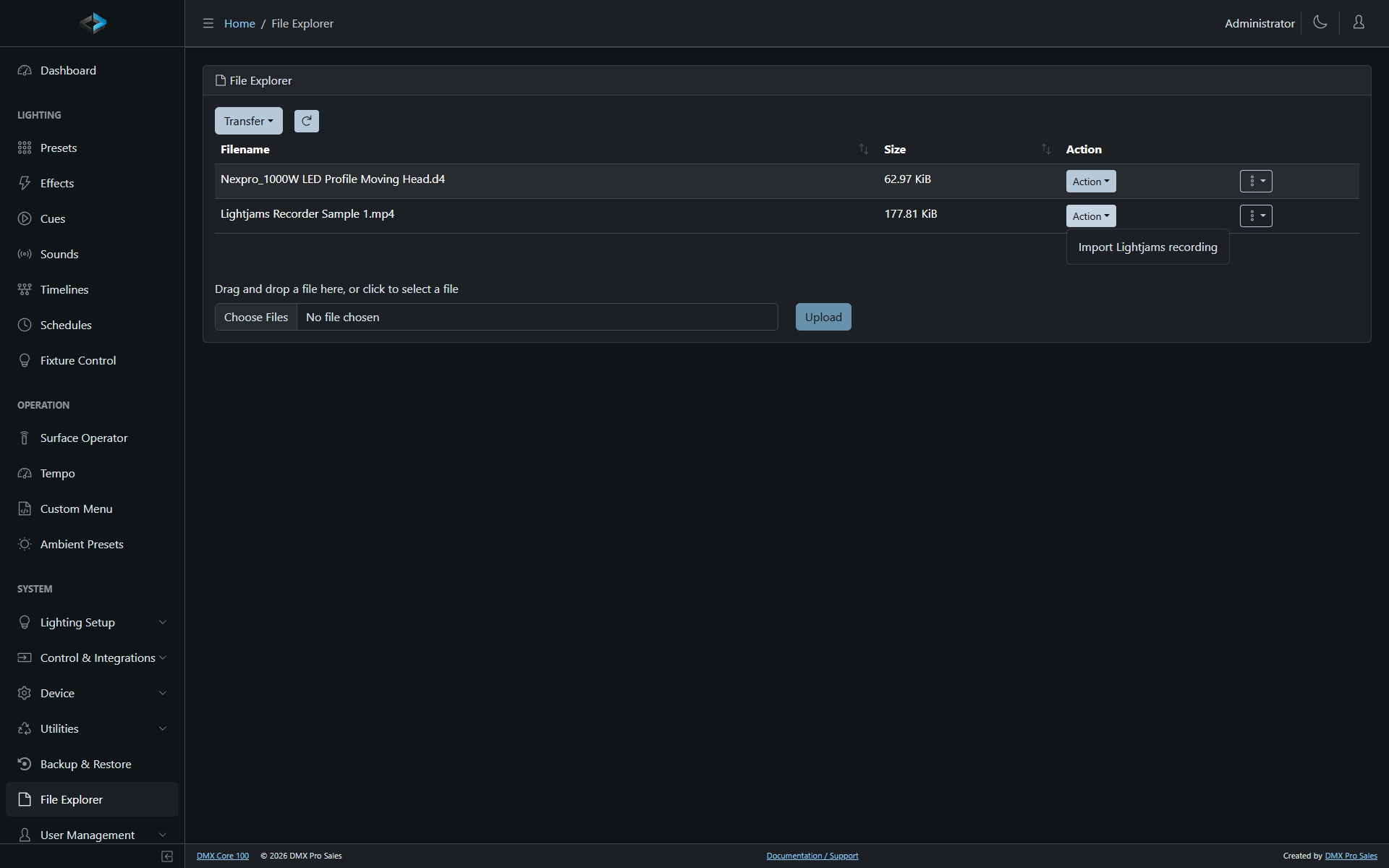
The recording is converted to a cue named after the file and appears in the Cues list, with the frame count, duration, and universe count in its description. The uploaded video is removed from the Transfer folder after a successful import (like the other import actions).
The import can also be run from the touchscreen: Main Menu > Utilities > File Explorer.
How Universes Are Mapped
A Lightjams recording stores one universe per video row, but not which universes were recorded - that was the First universe setting in the Lightjams recorder (Art-Net numbering, usually 0), which the video file does not contain. The import assumes First universe 0, which maps the recording to universes 1 and up - exactly where a native DMX Core 100 recording of the same Art-Net stream would land.
If the recording was made with a different First universe, import it anyway and remap the universes in the output configuration, or use Channel Rules - the data is identical, only the numbering shifts.
Universes that never carry a non-zero value anywhere in the recording (recorded but unused, or video padding) are dropped automatically, so a recording configured for 32 universes with one active universe imports as a clean single-universe cue.
Technical Notes
- Lightjams records DMX losslessly (one pixel per channel, lossless H.264), so imported values are bit-exact - every channel value is exactly what was on the wire.
- Frame timing comes from the video file itself, preserving the recorder’s actual capture rate; the cue plays back with the original timing.
- Each video frame is one synchronized snapshot across all universes (Lightjams’ ArtSync behavior), and the import preserves that: the cue is stored as a synchronized sACN capture, so multi-universe frames stay atomic during playback.
- Both
.mp4and.avirecordings are supported, at any Lightjams compression preset - the presets only affect encoding speed, never the data. - The plugin bundles its own minimal video decoder (built from FFmpeg, LGPL; sources at DMXCore/ffmpeg-mini), so nothing else needs to be installed.