
DMX Core PoE Control
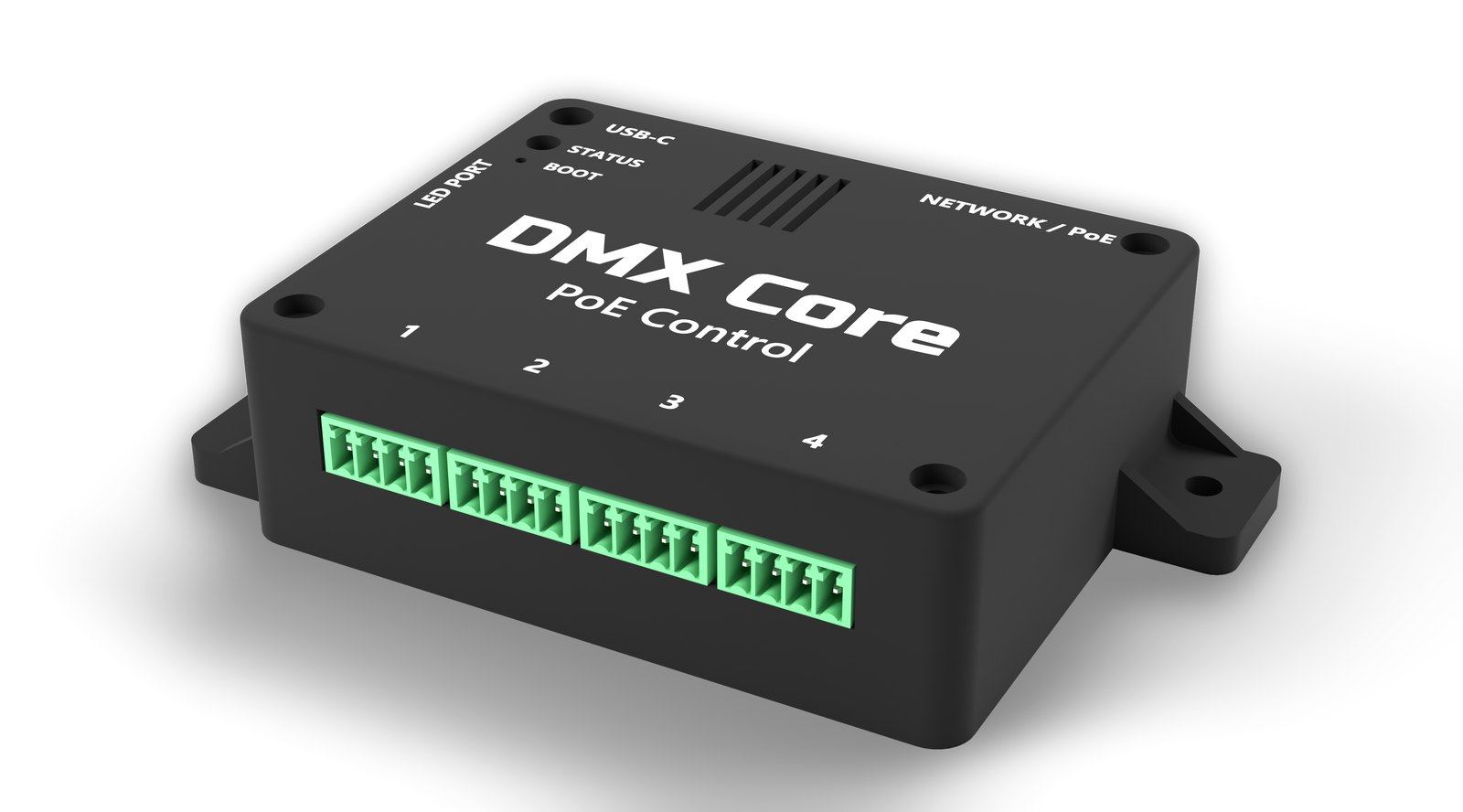
A small box that turns rotary encoders and push buttons on a wall into levels, presets and cues on a DMX Core 100 - or into fader moves, mutes and preset recalls on a Symetrix or Q-SYS DSP, with no DMX Core involved - or into a surface for Bitfocus Companion, whose keys do whatever Companion says. One Ethernet cable from a PoE switch carries both power and control. It has four control ports, each taking one rotary encoder with a push switch or up to three push buttons, and a port for addressable panel LEDs.
There is nothing to program. With a DMX Core 100, each knob steps a Control Value on the Core, and what that Control Value drives - the master dimmer, a zone, a fixture channel, the audio volume, a DSP fader - is a dropdown on the Core. With the Symetrix or Q-SYS firmware, each knob nudges a fader named by controller number or control name, straight over the DSP’s control port. With the Companion firmware, the knobs and buttons are keys on a Companion surface, and Companion decides what they do. Either way the Core, the DSP or Companion owns the value, so the knob has no state to drift or to lose in a power cut, and the same level shows on every other surface.
Purchase Information
See the DMX Core PoE Control product page for pricing. Buy the controller from dmxprosales.com. The optional Rotary Encoder Kit - an encoder on a small panel board with a knob and a cable, one per knob - is sold separately, and any standard rotary encoder or push button works on the ports as well.
Features
Control
- 4 control ports on pluggable 3.5 mm screw terminals
- Each port: one rotary encoder with push switch, or up to 3 push buttons
- Every input line has ESD protection, a series resistor and a noise filter; passive field wiring only, no power on the ports
- Panel LED port for a chain of up to 8 addressable RGB LEDs (WS2812), for status or feedback next to the controls
Network
- 10/100 Ethernet, RJ45, powered by IEEE 802.3af PoE
- DHCP by default, or a fixed IP address
- Finds the DMX Core 100 by its device name (mDNS), or by IP address
- OSC over UDP - works with every DMX Core 100, on the dedicated hardware or as desktop software, and with any other OSC server: a knob steps the server’s own addresses, or keeps a level and sends it as a number for servers without step addresses
- Symetrix firmware: Composer control protocol over TCP, a fader nudge per click, mutes and presets
- Q-SYS firmware: External Control Protocol over TCP, named controls, mutes, triggers and snapshots
- Companion firmware: a surface for Bitfocus Companion over its Satellite protocol - each knob’s turn and push, and each button, is a key that Companion assigns
Configuration
- A web page at
http://<name>.local/: live status, the settings in an editor, the log, firmware upload and restart - nothing on the wall to touch after it is up. Optional password; can be switched off entirely - USB-C: the controller appears as a small drive with the same
config.txt, to edit in any text editor, for the first setup or a locked-down network status.txtsays what the device is doing and why a change was refusedservers.txtlists every Core it can see on the network, so the name to type is read off the drive or the page- Firmware updates by uploading a
.uf2on the page or copying it onto the drive, with automatic rollback if the new firmware does not start
Power
- PoE (802.3af, Class 0), or USB-C 5 V, or both at once - PoE has priority
- About 1 W; under 1.5 W with panel LEDs lit
Hardware
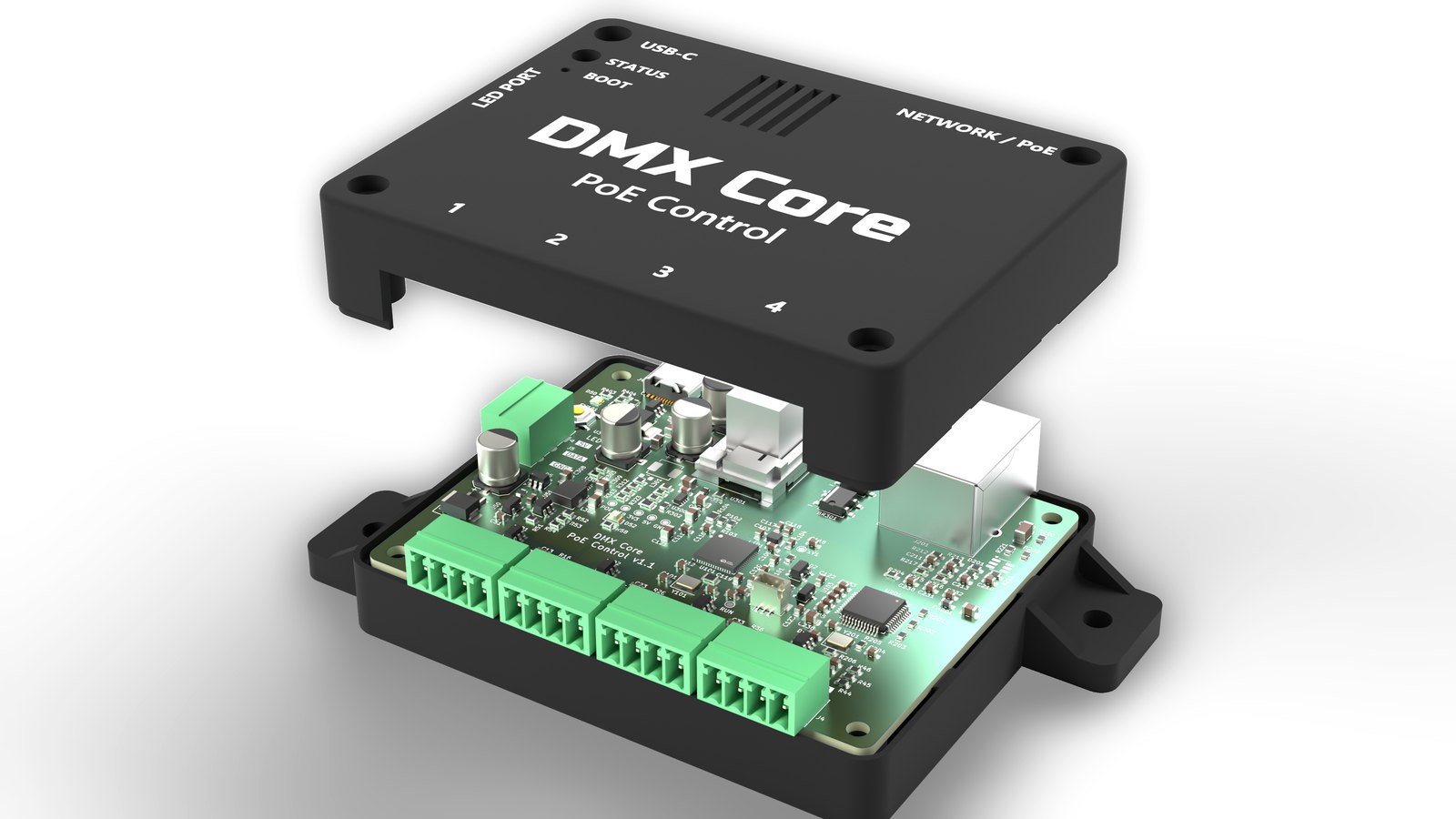
- Raspberry Pi RP2350 microcontroller, WIZnet W5500 Ethernet, isolated Silvertel PoE module
- RGB status LED, hardware watchdog, crash recording
- Board 85 x 66 mm in a wall-mountable enclosure with mounting ears
Where to start
- Getting started - from the box to a working knob.
- DMX Core 100 setup - the Control Value and the optional button trigger.
- Wiring - the control ports, the Rotary Encoder Kit, your own encoders and buttons, panel LEDs.
- Configuration - every key in
config.txt. - Symetrix and Q-SYS - the direct-to-DSP firmware.
- Bitfocus Companion - the controller as a Companion surface.