
Output Events
Output events let the DMX Core 100 send notifications to external systems when specific actions occur. For example, you can send an MQTT message when a cue starts playing, or make an HTTP request when a schedule triggers.
Configure them under Control & Integrations > Output Events in the Web UI, or Main Menu > Settings > Output Events on the touchscreen.
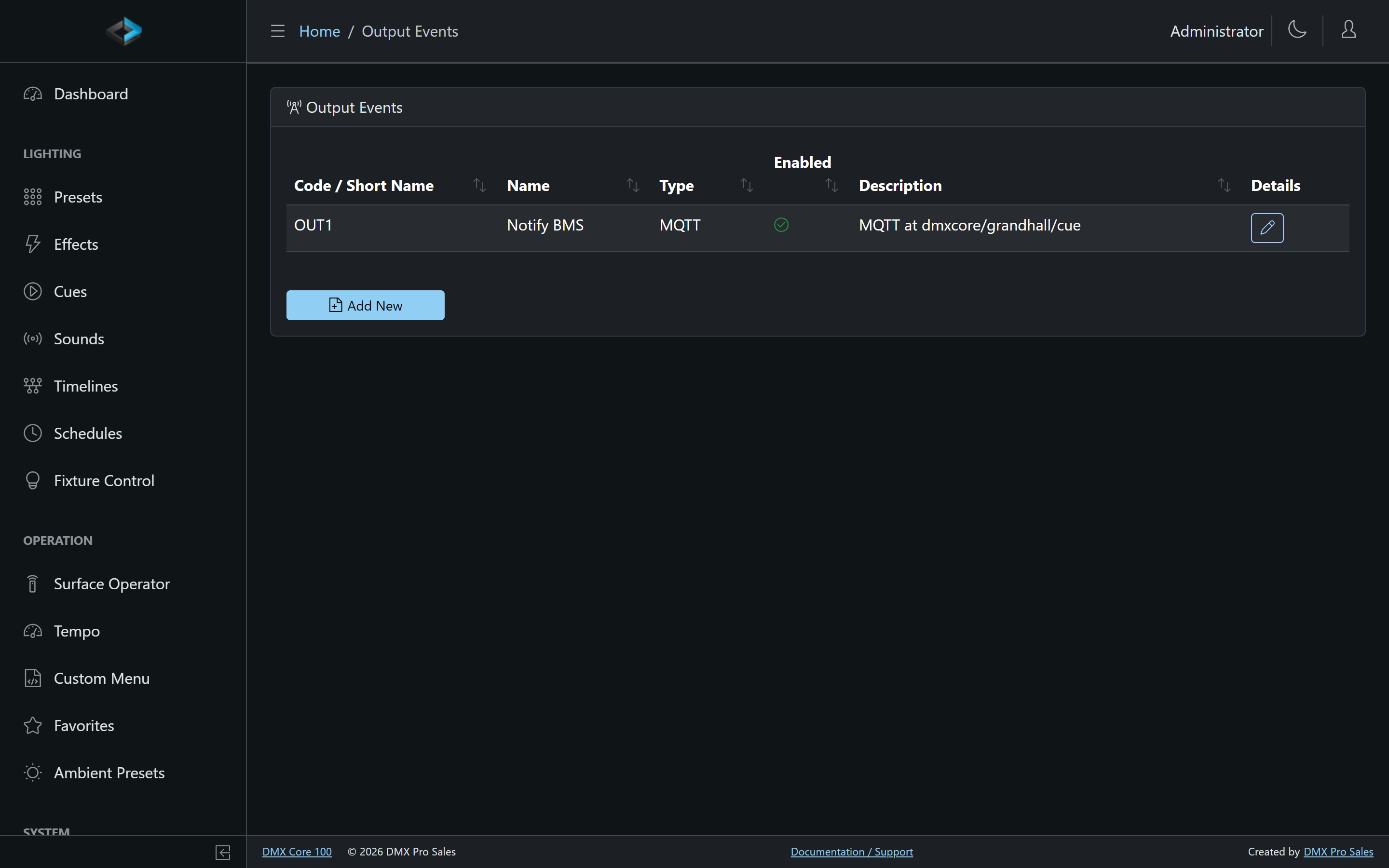
Creating an Output Event
- In the Web UI, go to Control & Integrations > Output Events
- Click Add New to create a new event
- Configure the trigger condition - what system event should fire this output
- Set the output type and destination
- Click Save
Output Types
Output events can send notifications via:
- MQTT - Publish a message to an MQTT topic
- HTTP - Make an HTTP request to an external URL
- OSC - Send an OSC message to a network target
- UDP - Send one datagram to a host and port
- TCP - Send bytes to a host and port over a connection the device keeps open. The connection is shared with a TCP Connector trigger to the same host and port, so a device that accepts a single client can be both listened to and commanded on one socket. If the device is not reachable, Test says so
- Serial - Send data over a serial port
- DMX Channel - Hold one or a few DMX channels at a level on top of whatever is playing. See DMX Channel below
- Digital Output - Drive one of the ADIO board’s four digital outputs. See Digital Output below for what they are wired to
- Home Assistant (and other integration plugins) - Activate a Home Assistant scene, script, or automation, picked from a live list. Requires the Home Assistant URL and token in the plugin’s settings; see Home Assistant. Plugins that provide actions appear here as their own type.
Use the Test button on a saved Output Event to fire it once; delivery problems (unreachable host, rejected token, no payload) are reported right there.
The UDP and TCP Payload uses the same syntax as a trigger payload: "text" in
double quotes with \r, \n, \t and \\ escapes, comma or space separated hex
bytes such as 02 41 0D, or plain text sent as written.
Output events can also be fired manually from scripts (dmx.fireOutputEvent(code)), control surfaces, and custom menus via the Fire Output Event action.
Digital Output
The four digital outputs are on the ADIO board; the 2-port DMX-512 board has no digital I/O. On current ADIO boards they drive indicator LEDs on the board itself and are brought out to test points TP1–TP4, not to a field connector - so driving an external load (a relay, a door strike, a sign) needs a soldered connection to a test point rather than a screw terminal.
A Digital Output event has a level, so wherever it is fired - a timeline milestone, a key, a trigger, a schedule, a custom menu item or a script - the Operation decides what happens to the output:
| Operation | Effect |
|---|---|
| Fire (pulse) | On, then off after the event’s Pulse Width (default 1000 ms). The default, and what the Test button does |
| Set on | On, and it stays on until something sets it off |
| Set off | Off, and it stays off |
| Follow input | Keys and triggers only: on while the key, contact, OSC button or Toggle Control Value is active, off when it releases |
A pulse always ends off, even when the output was set on before it; the pulse width is a property of the event, so every place that pulses it uses the same width. A Set on is deliberate and is never cleared on its own: a timeline that sets an output on and then stops leaves it on, so add a Set off milestone where the output should drop. A Set off, and a Follow release, get through even while DMX output is off, so a pin cannot be left stuck on by Output Off.
Inverted reverses the polarity: On drives the pin low. Use it for a relay wired normally-closed, so “on” in every editor still means “energized”.
Two examples. A timeline that opens a door for two seconds: a Set on milestone at 0:00 and a Set off milestone at 0:02, both on the same event. A wall button that keeps a sign lit while a Toggle Control Value is on: a Control Value trigger with the action Fire Output Event and the operation Follow input.
The Operation field only appears when the selected Output Event is a Digital Output or a DMX Channel; every other type fires once whatever the operation says.
DMX Channel
A DMX Channel event holds one channel of a universe (or a few consecutive channels) at a fixed level while it is on, on top of whatever is playing there: a cue, a preset, fixtures or routed input. The other channels of the universe are left alone. When the event goes off, the channels go back to whatever is playing underneath, or to 0 when nothing is. Use it for a DMX relay pack, a smoke machine or hazer, or a work light that has to switch over a running show.
| Field | Meaning |
|---|---|
| Universe | The internal universe, the same number the cues and fixtures use. The universe’s output mapping on the Outputs page decides which protocol (sACN, Art-Net, DMX serial) and wire universe it goes out on. A universe with no output sends nothing |
| Channel | 1–512, the first channel |
| Payload | The level, 0–255. Empty means 255 (full). A list such as 255,128 sets consecutive channels from Channel: here the first gets 255 and the next 128, for a smoke machine’s fog and fan channels |
| Pulse Width (ms) | How long Fire (pulse) holds the channels. Default 1000 ms |
| Ignore Blackout | Keep the channels at their level through a Blackout, for relays or a work light that must not follow a show blackout. Off by default |
It has a level like a Digital Output, so the same Operation applies: Fire (pulse) holds the channel for the pulse width, Set on holds it until a Set off, and Follow input holds it while the key or contact is active. Test pulses it.
How it behaves with the rest of the show:
- It always wins its channel. The level replaces the channel’s value whatever the priority of the cue or console underneath, and the master dimmer, channel rules and fades do not change it.
- Stop does not release it. After a Stop the universe keeps streaming for the held channel, and the channels the stopped cue drove drop to 0. Use Set off to release it.
- Blackout masks it like everything else, and it comes back when Blackout is released, unless the event is set to Ignore Blackout.
- Output Off parks it. Nothing goes out while output is off, and a held channel comes back when output is turned on. A Set on fired while output is off is ignored, like any other output event.
- Two events on the same channel: the higher level wins, and the channel drops to the other event’s level when the higher one goes off.
- Editing a held event moves the held channel to the new universe, channel or level when you save; disabling or deleting it releases the channel.
- A held channel is not remembered across a restart.
The State column on the Output Events list shows whether each DMX Channel and Digital Output event is on right now.
The older Art-Net, sACN and DMX Serial output event types never sent anything and are no longer offered. An existing one shows as not supported; change its type to DMX Channel and enter the internal universe.
Use Cases
- Notify a building management system when lighting changes
- Trigger actions in other IoT devices via MQTT
- Log lighting events to an external system
- Synchronize with other AV equipment