
MQTT
The DMX Core 100 supports MQTT (Message Queuing Telemetry Transport), a lightweight messaging protocol common in IoT and building automation. MQTT lets IoT devices trigger lighting actions, and lets the DMX Core 100 publish its own state changes for other systems to react to.
Broker Connection
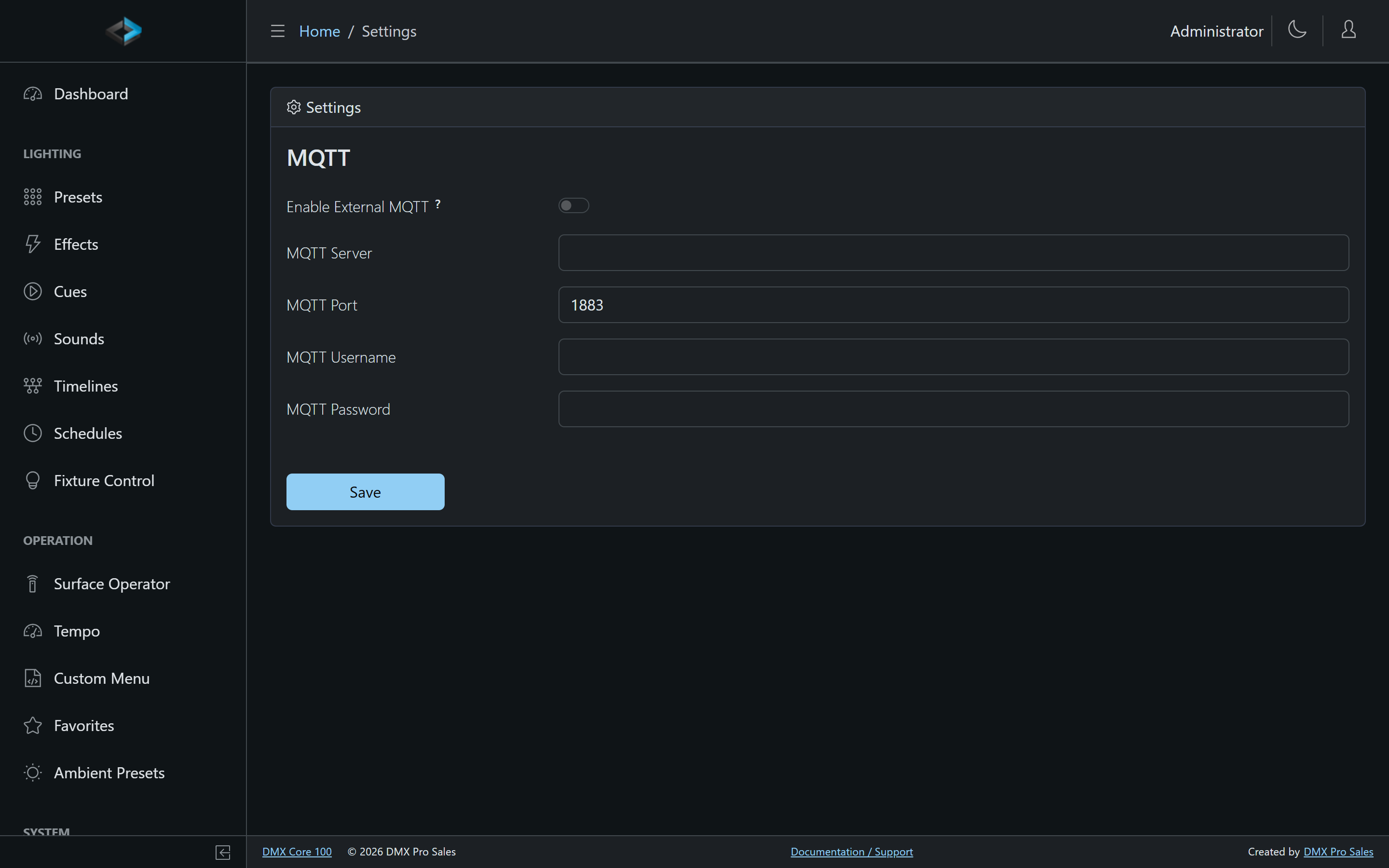
Connect to an external MQTT broker under Control & Integrations > MQTT in the Web UI:
- Enable External MQTT - turn the broker connection on. On an Appliance, leaving this off uses the unit’s built-in local broker. On desktop (Windows/macOS/Linux) there is no built-in broker: when this is off, no MQTT connection is made, so Home Assistant discovery will not work until you enable it and point at a broker.
- MQTT Server / Port - the broker’s hostname or IP (default port 1883)
- MQTT Username / Password - credentials, if the broker requires them
Ways to Use MQTT
- Input triggers - fire an action when a message is published to a topic, or drive a level from a numeric payload (Value mode). See Input Triggers.
- Output events - publish a message when something happens on the DMX Core 100 (a cue starts, a schedule fires). See Output Events.
- Scripts - publish from JavaScript with
dmx.mqtt.publish(topic, payload), e.g. to bridge lighting state into a home automation bus. See the Scripting API. - Shelly devices - the Shelly plugin drives Shelly RGBW devices over the broker connection via its own output type.
Use Cases
- Home Assistant - the broker connection is also what powers the native Home Assistant integration: the device and its scenes, dimmers, and switches appear in Home Assistant automatically
- Smart home integration - trigger lighting scenes from smart switches or sensors
- Building management - integrate with BMS systems that use MQTT
- IoT automation - coordinate lighting with other IoT devices