
Control Values
A Control Value is a named value - “bar volume”, “main source”, “house dimmer” - that every control in the system can share. Once defined, it can be driven from a control surface knob, a custom menu slider, the Faders page, an input trigger, a timeline track, or a script, and whichever of them moves it, every other one follows.
Two kinds of backend hold the value:
- A QSC Q-SYS or Symetrix DSP core, where the Control Value maps to an audio level, source selector or mute on the DSP. The DSP is the source of truth; changes made on the DSP side are reflected back everywhere.
- Internal (no DSP) - the DMX Core 100 keeps the value itself. Use it to give several controls one shared handle on something, typically a light: see Driving a fixture, zone or master.
A typical install: a wall fader (via input trigger), a Stream Deck knob, and a custom menu slider all bound to the same VOL1 Control Value, which maps to a Symetrix volume controller. Move any of them - or change the volume from the DSP side - and every surface updates.
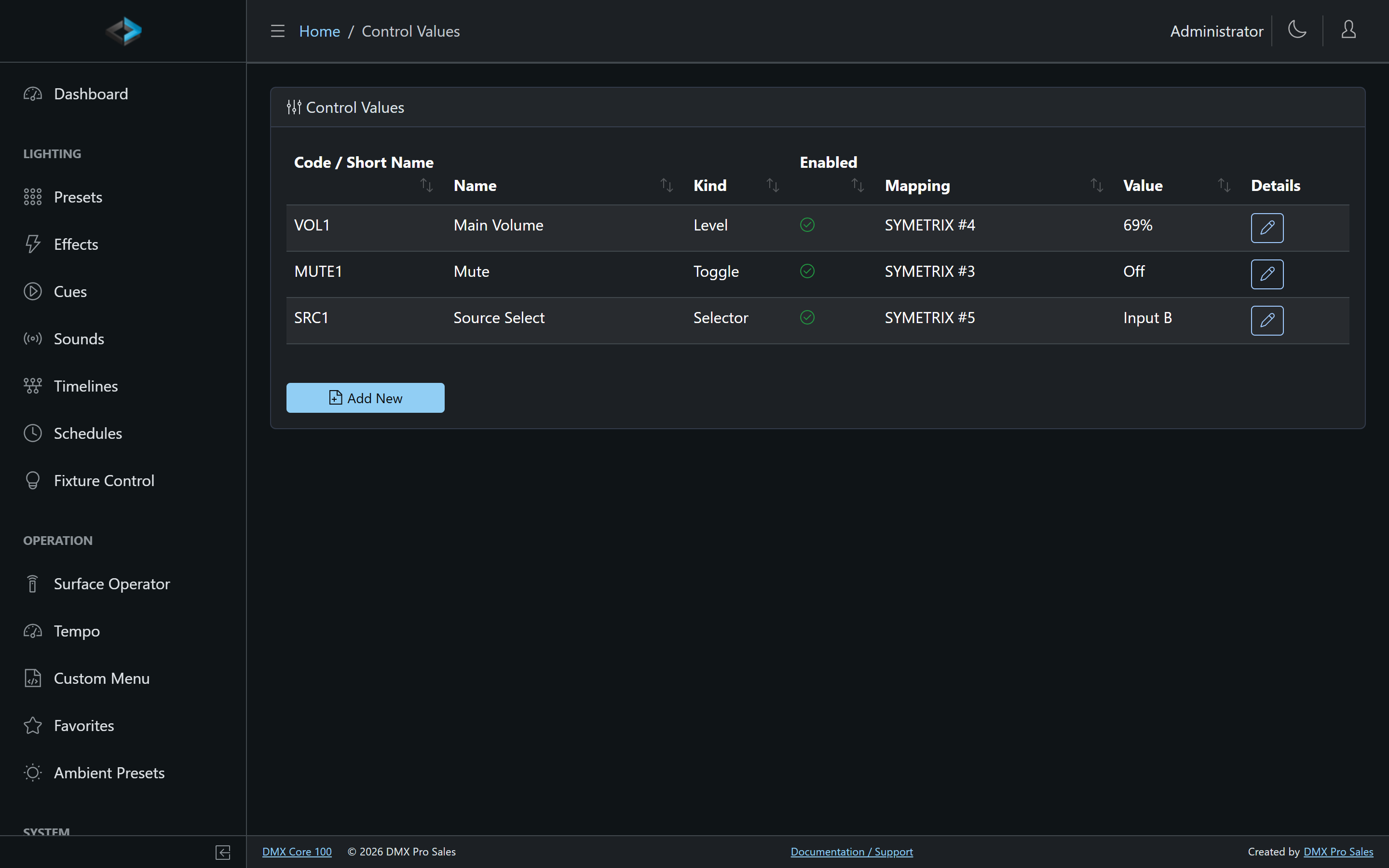
Kinds
| Kind | Holds | Example |
|---|---|---|
| Level | A continuous 0–100% value | Room volume |
| Selector | One choice from a list | Source select (Input A / Input B / …) |
| Toggle | On or off | Mute |
| Counter | A whole number between a minimum and a maximum | Home / away score |
Settings
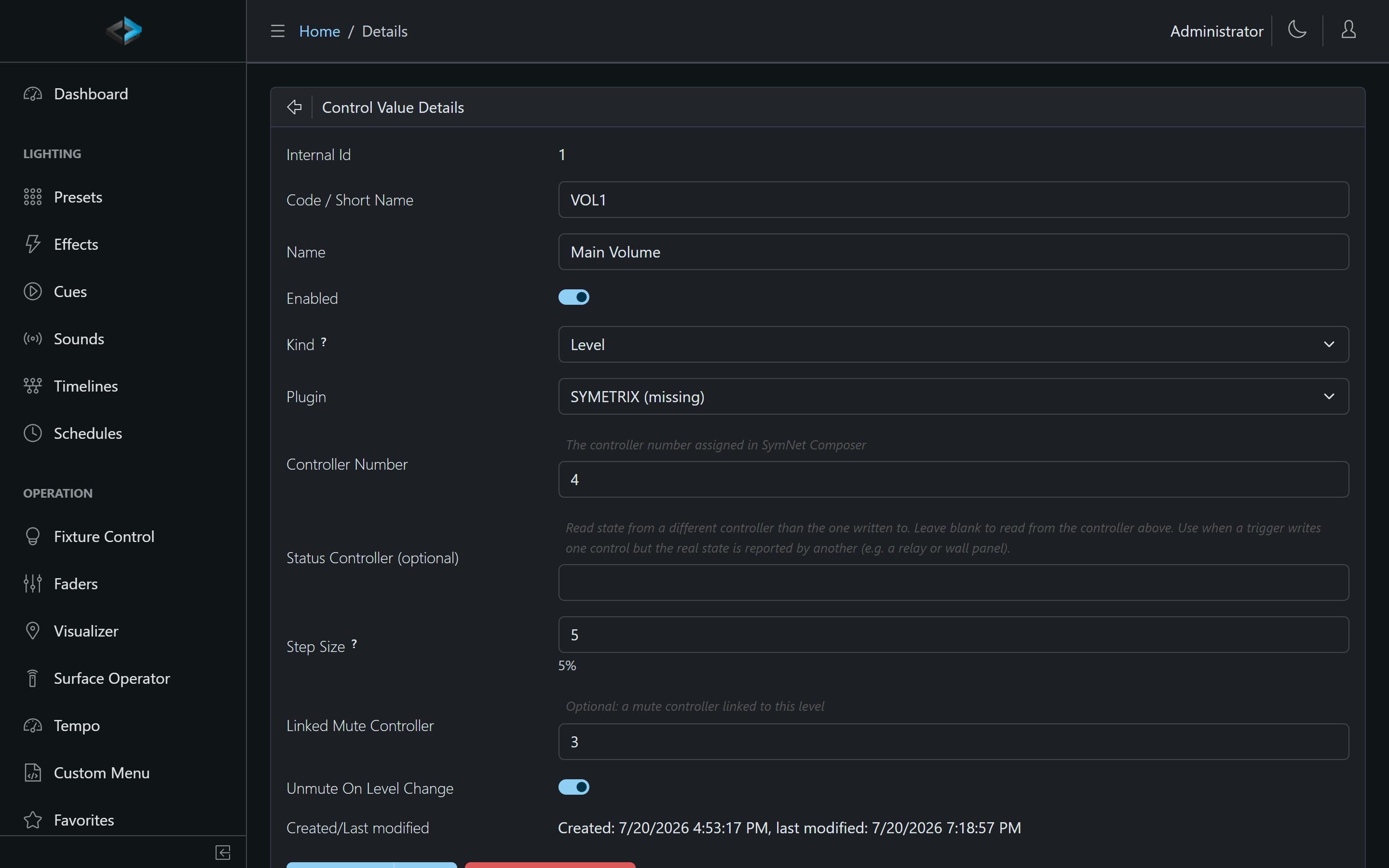
Each Control Value has:
- Code / Short Name - the identifier used in menus, triggers, timelines, and scripts (e.g.
VOL1) - Kind - Level, Selector, Toggle, or Counter
- Plugin - which backend holds the value: Internal (no DSP), or an installed DSP plugin that registers as a Control Value backend (Symetrix, Q-SYS, …). The dropdown lists only what is installed
- Controller Number - the controller number assigned in SymNet Composer (or the named control in Q-SYS Designer). Not shown for an internal Control Value
- Status Controller (optional, DSP only) - read state from a different controller than the one written to. Use when a trigger writes one control but the real state is reported by another (e.g. a relay or wall panel)
- Step Size - how far Up/Down operations move a Level (default 5%)
- Linked Mute Controller (optional, DSP only) - a mute controller linked to this level, with an optional Unmute On Level Change behavior
- Drives (Level only) - a target this Control Value continuously drives; see below
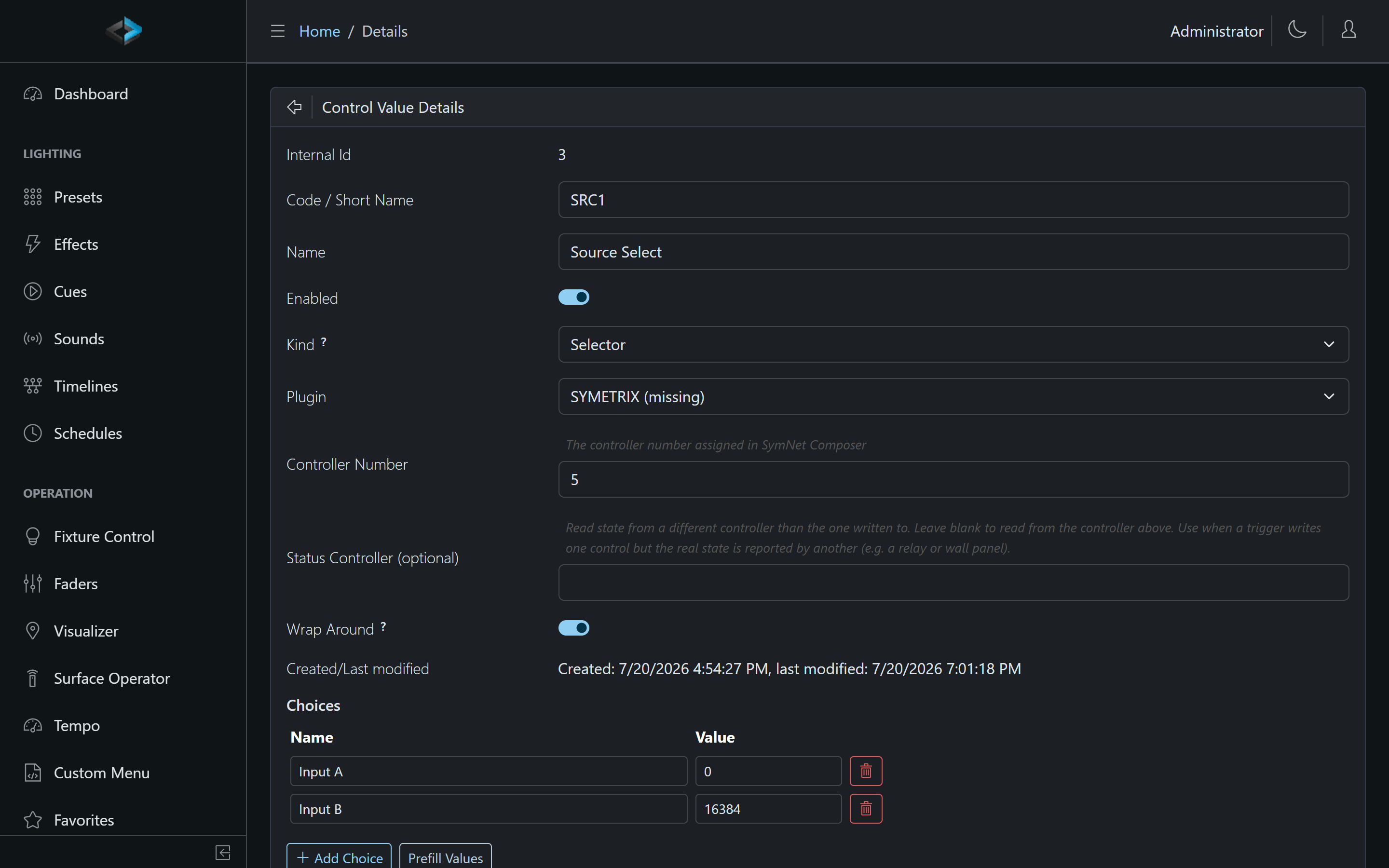
For a Selector, define the choices on the same page:
- Add Choice - add a named choice
- Prefill Values - fill typical values
- Wrap Around - when on, Up past the last choice wraps to the first (and Down from the first wraps to the last); when off, Up/Down stops at the ends
For a Counter, set its range on the same page:
- Minimum / Maximum - the range the value stays within (default 0 to 100)
- Step - how much one Up/Down step changes the value (default 1)
- Wrap Around - when on, Up past the maximum wraps to the minimum (and Down below the minimum wraps to the maximum); when off (the default), Up/Down stops at the ends
A Counter is the right kind for anything you count rather than dial: a scoreboard, a queue number, a “round” indicator. Bind two Stream Deck keys to Up and Down on it and the score is shared by every surface, menu, timeline, script and integration on the device. Usually the Counter is Internal (the device keeps the number itself), but a plugin backend can hold it too - it receives the whole number as the raw value.
Operations
Anything that targets a Control Value can perform:
- Set value - a level percentage, a selector choice, on/off, or a whole number for a Counter
- Up / Down - step a Level by its step size, move a Selector through its choices, or count a Counter up or down by its step
- Toggle - flip a Toggle kind (or a linked mute) on each press
- Follow input - a Toggle kind mirrors the input: On while the contact, key or OSC button is active, Off when it releases. A push button on a digital input holds the value On only while pressed, with Threshold 0 reversing it. Nothing is remembered, and a digital input trigger syncs the value to the contact’s present state as soon as it is saved or the device starts, so it is never left stale
Up and Down can also carry an Amount on the action itself, replacing the Control Value’s own step for that one key, milestone or script call: a “touchdown” key does Up with an amount of 6, a “field goal” key Up with 3, while a plain “+1” key leaves the amount blank. The amount is a whole number for a Counter, a number of choices for a Selector, and a level delta for a Level - 1 or more is a percentage and anything below 1 a 0–1 fraction, so 10 and 0.1 both mean 10% and 1 means 1%. A negative amount runs the other way. Holding a Stream Deck key auto-repeats Up/Down, and each repeat applies the amount.
Value-mode input triggers feed their numeric payload straight into a Level - optionally shaped by a transform script for response curves and dead zones. Timed ramps fade a level smoothly to its target instead of jumping.
Internal Control Values
Pick Internal (no DSP) as the plugin and the DMX Core 100 holds the value itself; no controller number is needed. An internal Control Value behaves exactly like a DSP-backed one everywhere it can be bound, it just has nothing on the far end - until you give it something to drive.
Its value survives a normal restart: internal levels are saved with the rest of the device state when the software shuts down cleanly (and whenever a cue, preset or sound is saved), and restored before anything can move them. After a power cut the value is whatever was last saved that way, the same rule the master dimmer follows.
Driving a Fixture, Zone or Master
A Level Control Value can continuously drive one target: a fixture’s intensity, a zone, the master dimmer, the audio volume, a fixture color channel, another Control Value, or a preset, cue or sound as a playback fader (up from 0 starts it, 0 stops it). Set it on the Control Value’s page under Drives - the same target picker as a knob binding, with min/max scaling and invert.
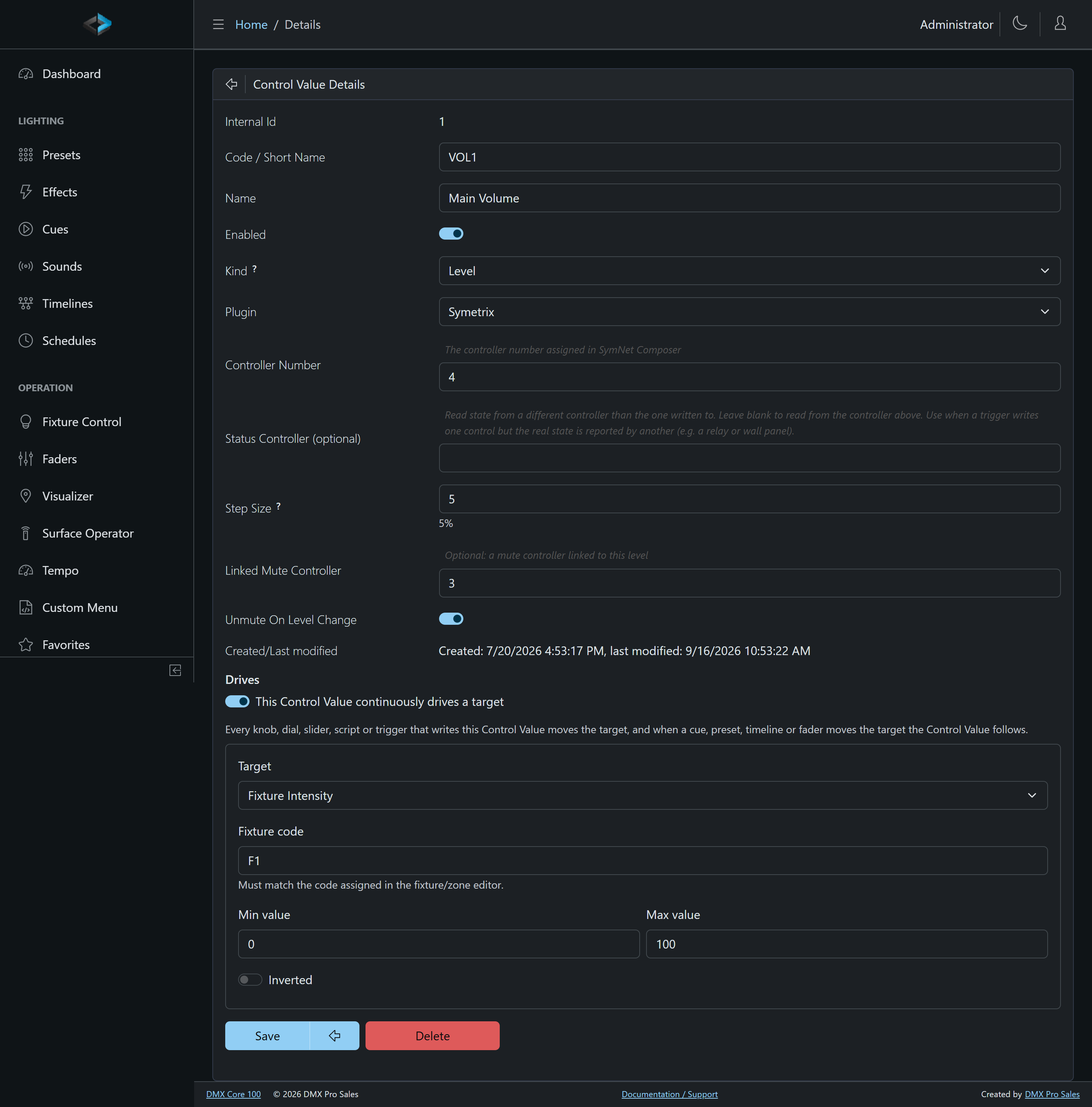
Once set, the link works in both directions:
- Every control that writes the Control Value - a MIDI knob, a Stream Deck dial, a custom menu slider, a fader on the Faders page, a script, a timeline, a DSP wall panel - moves the target.
- When something else moves the target - a cue, a preset, a timeline, the fixture’s own fader - the Control Value follows, so a knob or a DSP fader is never left stale and the next touch does not snap the light. A DSP-backed Control Value passes that on to the DSP, so a Symetrix wall knob follows a cue.
A Control Value that would drive itself is refused.
Triggering From a Control Value
Control Values also work in the other direction: a Control Value input trigger watches a Control Value and fires an action when it changes - a wall panel button plays a cue, a source selector landing on “Party” starts a timeline, a level crossing a threshold brings up the lights.
Any change counts, whoever made it: a DSP button, a custom menu slider, a schedule, a script or a fader on the Faders page. The one exception is the trigger’s own action writing the same Control Value back, which never re-fires it. On startup the first reported value arms the trigger without firing.
Live State Everywhere
The current value is shown in the Control Values list and is pushed to every bound surface: LED colors on keypads, Stream Deck key faces and the Stream Deck + LCD strip, OSC feedback to TouchOSC layouts, highlight states on custom menu items, and dmx.controlValue.get()/status() in scripts.