
Input Triggers
Input triggers make the DMX Core 100 react to the outside world - a DMX channel crossing a threshold, an OSC or MQTT message, an HTTP request, a contact closure. A trigger either runs an action (play a cue, apply a preset, run a script) or drives a level directly from the signal’s value.
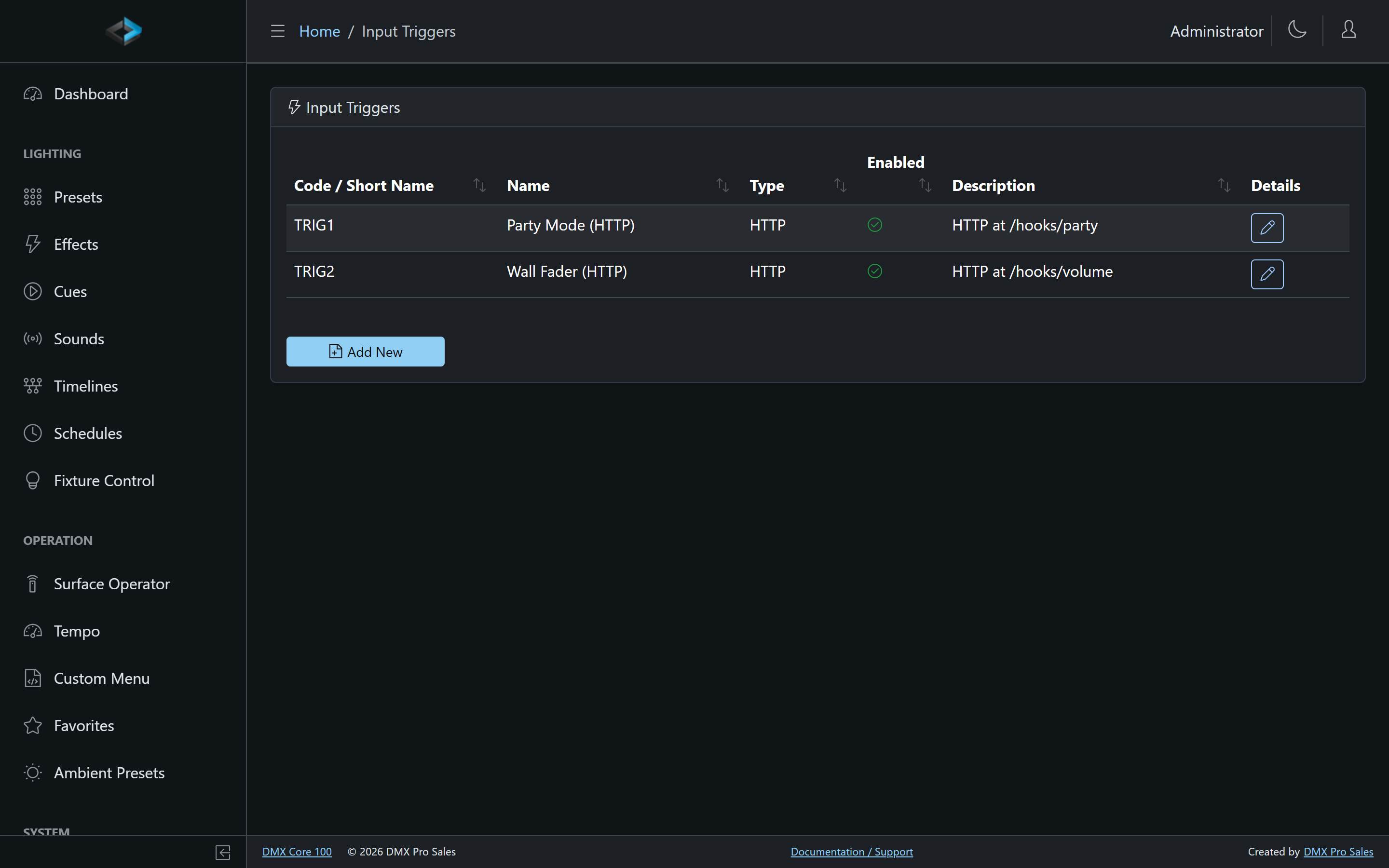
Configure them under Control & Integrations > Input Triggers in the Web UI, or Main Menu > Settings > Input Triggers on the touchscreen.
Custom OSC addresses are shown in Control your lights from TouchOSC.
Input Types
| Type | Description |
|---|---|
| Art-Net / sACN | A DMX channel in an incoming network stream reaching a threshold |
| DMX Serial | A DMX channel on the optional DMX-512 or ADIO board’s input |
| OSC | An OSC message on the configured address |
| MQTT | A message published to an MQTT topic (requires the MQTT integration) |
| HTTP | An HTTP request to a path you define (e.g. /hooks/party-mode) |
| TCP / UDP | Raw data arriving on a TCP or UDP port. Each has its own Port field. If a UDP port cannot be opened, the device reports a configuration issue: UDP input trigger port N |
| Digital Input | A contact closure on one of the ADIO board’s four digital inputs (the 2-port DMX-512 board does not have them). The trigger fires when the input goes active and releases when it goes inactive, so a Flash preset, a Momentary timeline or a Control Value Follow input action follows the contact. Threshold is the polarity: 1 (default) is active-high, 0 inverts it so the trigger fires when the contact opens |
| Control Value | A Control Value changing - a Q-SYS or Symetrix button, fader or selector, or any control that writes the value |
| Plugin | A signal from an installed plugin |
Control Value Triggers
A Control Value trigger makes a Control Value the source: a wall panel button wired to a Symetrix controller plays a cue, a Q-SYS UCI fader crossing a threshold starts a scene, an internal Control Value moved from a Stream Deck dial runs a scene. Pick the Control Value to watch; the remaining settings depend on its kind:
- Toggle - fires when the control turns on.
- Level - set a Threshold %; fires when the level rises to or above it, and re-arms when it drops below.
- Counter - set a Threshold % of the counter’s range; fires when the count rises to or above it (50% of a 0–99 score is 50), and re-arms when it drops below.
- Selector - set a Start Choice (choice name or index); fires when that choice becomes active. With no Stop Choice, leaving Start Choice for any other choice is a stop (so an applied Flash preset releases). With an explicit Stop Choice, other choices keep the triggered state until that stop choice is selected.
Any change fires the trigger, whoever made it - a DSP button, a custom menu slider, a fader on the Faders page, a schedule, a script or another trigger. The only change that never fires a trigger is its own action writing the same Control Value back, so a trigger can safely set the value it watches. On startup or reconnect the first reported value arms the trigger without firing, so a control that is already on never replays its edge.
In Value mode, the Control Value’s live 0–100% position drives the target level instead - turning any DSP fader into a live lighting fader.
Two Modes
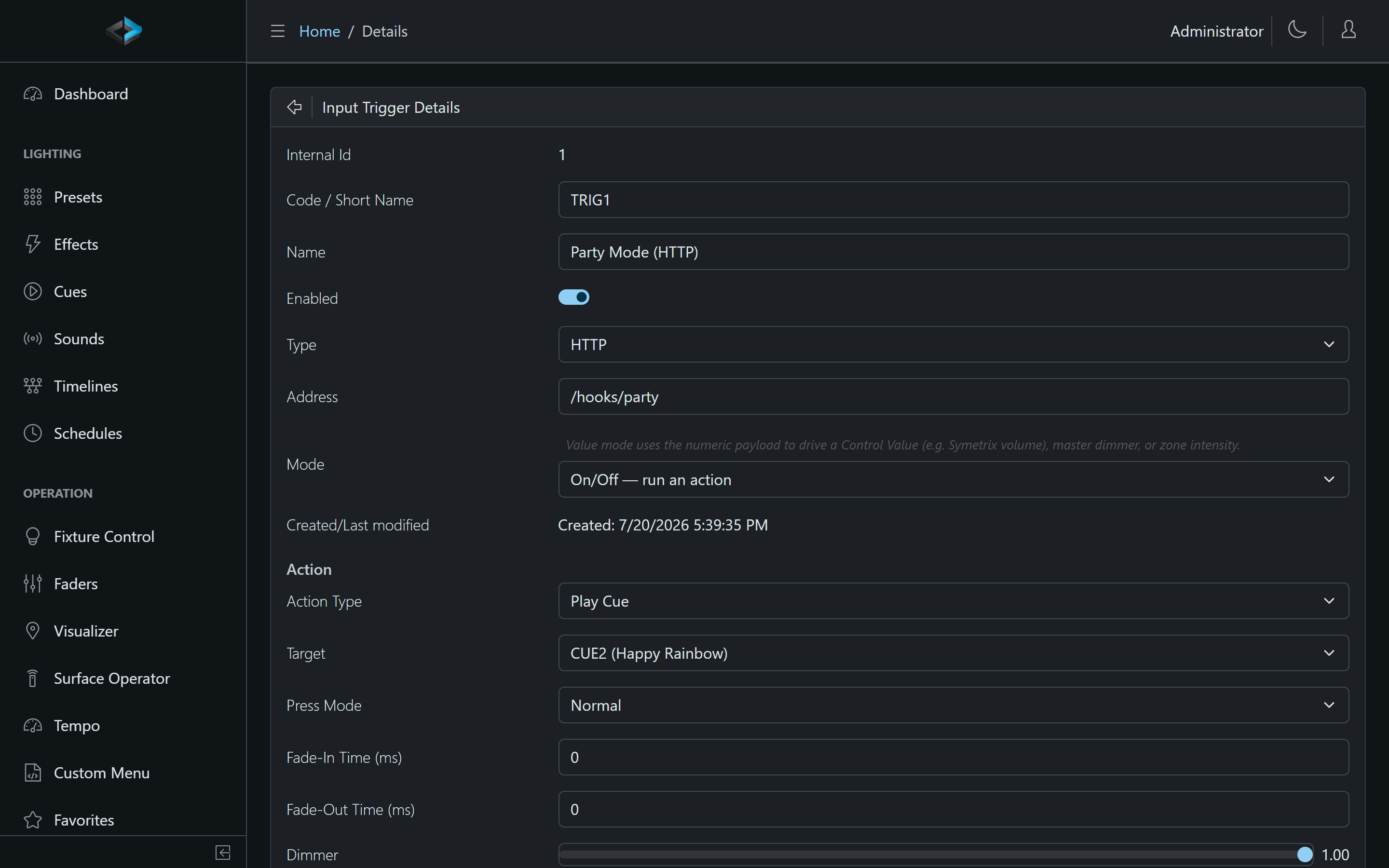
- On/Off - run an action. The trigger fires its action when the signal arrives (or crosses the threshold).
- Value - set a level from the payload. The numeric payload drives a target level continuously. Configure JSON Path (when the payload is JSON), Input Min (default 0), Input Max (default 1), and the Value Target section: Target, Min value, Max value, and Inverted. Targets include a Control Value (e.g. a Symetrix volume), the master dimmer, a zone intensity, audio volume, and a preset, cue or sound as a playback fader. An OSC value trigger needs exactly one argument. A wall fader sending OSC or DMX becomes a live level control.
Value-mode triggers can name a Transform Script that reshapes the normalized 0–1 value before it lands - response curves, dead zones, thresholds.
Actions
An On/Off trigger can: Apply Ambient Preset, Apply Preset, set/step a Control Value, Fade Out, Fire Output Event, Play Cue, Play Sound, Play Timeline, Run Script, Step Effect, Stop, Blackout, Tap Tempo, Audio Mute, DMX Output, or Toggle Schedule.
For complex logic - conditions, sequencing, payload parsing - use Run Script: the raw payload arrives in the script as ctx.payload.
Press Modes
Actions that respond to a button-like signal have a Press Mode:
| Mode | Behavior |
|---|---|
| Normal | Fires the action on each press |
| Toggle on/off | First press starts, second press stops |
| Flash (hold) | Active only while held - the preset applies on press and releases on release |
| Momentary (release continues past Hold) | For Play Timeline actions: press plays the timeline, release continues it past a Hold milestone |
Momentary is the timeline counterpart to Flash - but where releasing a Flash button turns its preset off, releasing a Momentary button lets the timeline continue. It’s how a tap handle, doorbell, or held button drives an interactive show: pull to start, hold to keep it going, let go to move on.
With a Normal-mode Play Timeline action, pressing again while the timeline waits at a Hold also continues it - press to start, press again to continue.
Trigger Settings
- Code - unique identifier (checked for duplicates)
- Name - display name
- Enabled - turn the trigger on or off without deleting it
- Address - OSC address, HTTP path, or MQTT topic. UDP/TCP use a separate Port field. Art-Net / sACN / DMX Serial use Universe Id/Sub Port and Channel - Address does not cover those
- Start Payload / Stop Payload - for TCP, UDP, OSC, and MQTT (not HTTP; HTTP matches the path only). Put the text in double quotes to treat it as text; otherwise it is read as hex bytes (if that parse fails, the whole string is treated as text). For UDP/TCP the packet only has to start with the payload (it may have extra bytes after it)
MQTT triggers
MQTT topics must match exactly (case-insensitive). + and # wildcards never fire. Start/Stop payloads must match exactly, including case. With no payload configured, boolean-like payloads (true/false, on/off, 1/0, yes/no) act as on/off and any other payload fires the start action.
MIDI notes are not Input Triggers. Bind MIDI on a control surface.
Recording Triggers
Starting a recording from an external signal is configured on the Record page itself, as part of the recorder configuration.