
Effects
The effects engine applies dynamic, animated looks to your fixtures - breathing, fire, chases, strobes, and audio-reactive movement - without recording cues. Effects run continuously until stopped, and can sync to a metronome beat or live audio.
Effects are managed under Lighting > Effects in the Web UI, and applied from Fixture Control (per zone or globally) or via presets.
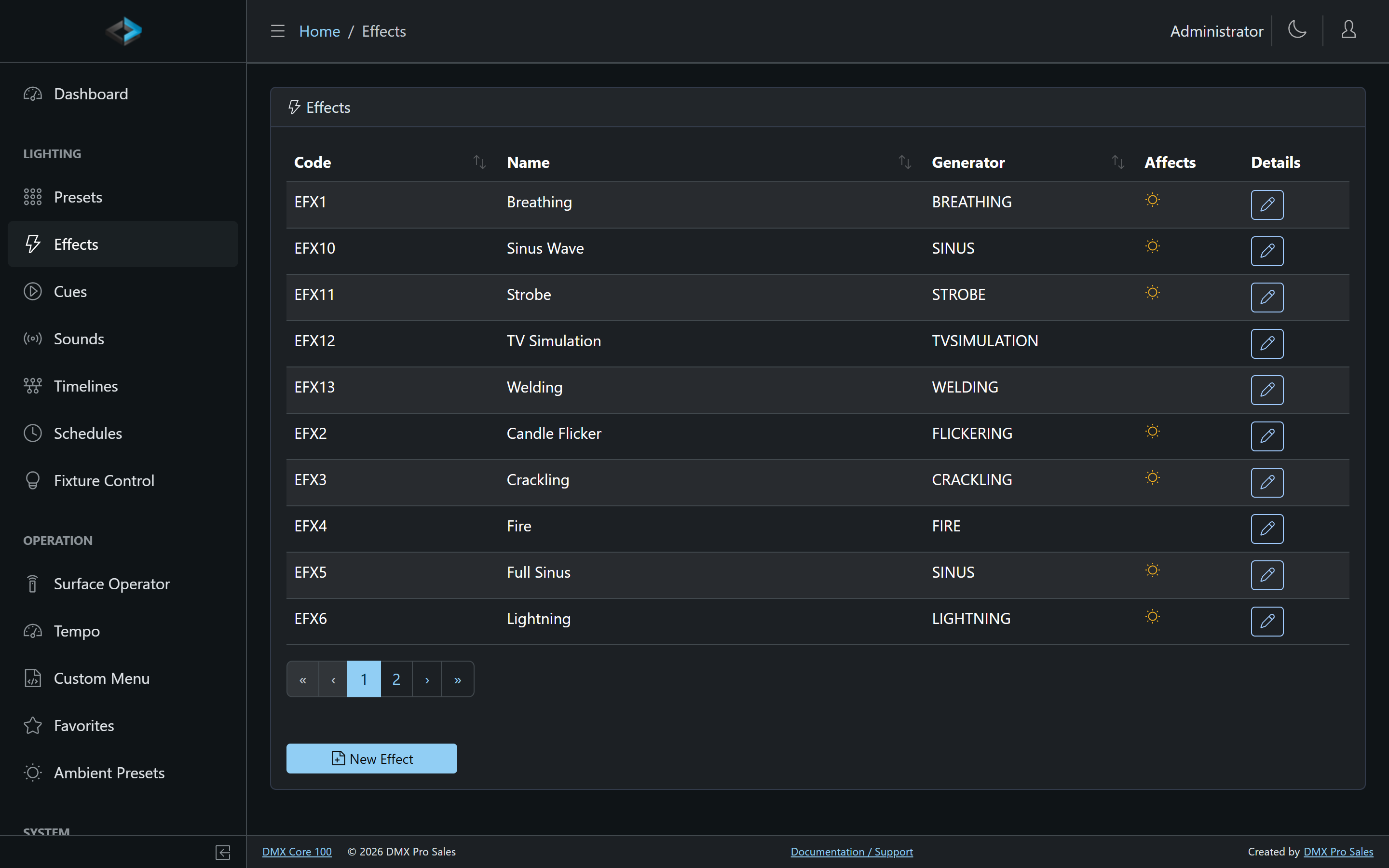
Built-in Effect Generators
| Generator | Description |
|---|---|
| Breathing | Smooth fade up and down, like a breathing rhythm |
| Chaser | Sequences fixtures through a configurable list of colors |
| Crackling | Random flickering similar to crackling embers |
| Fire | Simulates a flickering fire |
| Flickering | Random brightness variations (candle-like) |
| Lightning | Dramatic random flashes |
| Pulse | Sharp on/off pulsing |
| Rainbow | Cycles fixtures through the color spectrum |
| Ramp Up/Down | Repeated rising or falling intensity ramps |
| Sinus | Smooth sinusoidal wave |
| Sound Reactive | Animates fixtures from the live audio spectrum |
| Strobe | Classic strobe flashing |
| TV Simulation | Mimics the shifting glow of a television |
| Welding | Harsh, irregular bursts like arc welding |
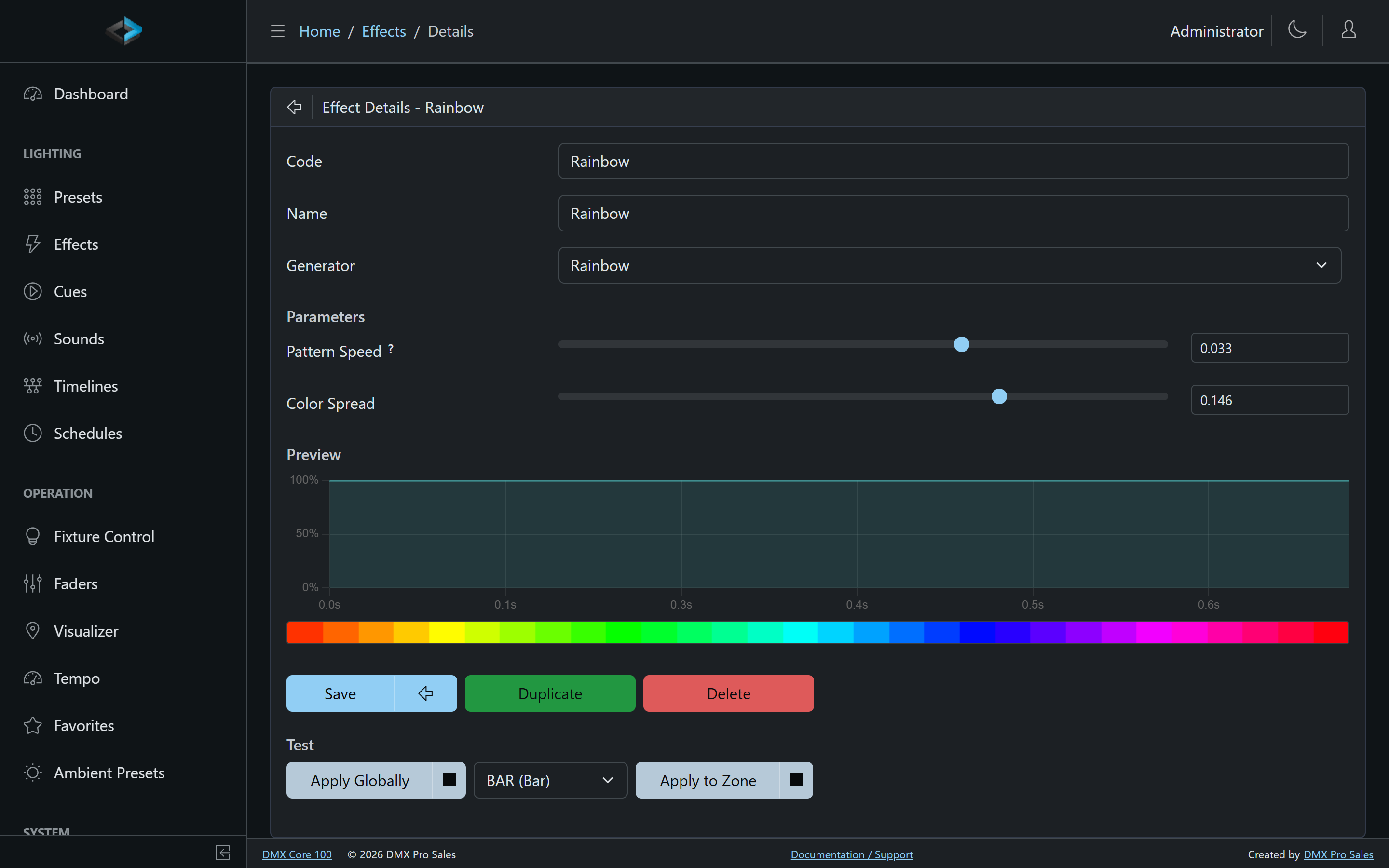
Each generator has its own parameters - speed, length, attack/decay, smoothing, secondary intensity, colors - and a Preview so you can tune it in the editor. Test runs the effect live, and Apply Globally puts it on all fixtures immediately.
Sync Modes
An effect’s Mode controls its clock:
- Single / Double - Internal - free-running on the effect’s own speed
- Metronome - Downbeat / All Beats - steps fire on the beat from the Tempo page
- Audio Trigger - steps, flashes, or pulses on hits detected in live audio
- External Trigger - steps, flashes, or pulses each time a Step Effect action fires - bind it to a control surface button (MIDI pad, Stream Deck key), an input trigger (OSC, HTTP, DMX threshold, contact closure), a custom menu button, or a script, and tap through a chaser’s colors by hand. The action can target one effect or all effects listening for external triggers.
Applying Effects
Open Fixture Control and select the fixture or zone to animate - the effect controls appear in the panel and start immediately. With multiple zones configured, each zone has independent effect controls.
Effect Assignment via Presets
Effects can be saved as part of a preset: activating the preset starts the effect, stopping it stops the effect. This is the main way to trigger effects from the touchscreen, schedules, custom menus, and external control.
Effect Dimmer
Each effect has a dimmer that scales its intensity, settable at the global, zone, or fixture level.
Fade Duration
Effects support configurable fade durations controlling how quickly they start and stop - a default for all effects, or per effect.