
Plugins
Plugins extend the DMX Core 100 with integrations that run on the device itself - DSP control (Symetrix, Q-SYS), smart-home platforms (Home Assistant), networked lighting (Shelly, LIFX, WiZ, Govee), show import (Lightjams), and more. Plugins are installed per device from the plugin registry, straight from the Plugins page, and updated independently of the device software.
Installing a Plugin
Open the Browse tab. It lists every plugin available in the registry, with a description, the publisher, and links to the plugin’s website, registry package, and license. Plugins published by DMX Core carry a DMX Core mark. Use the search box to filter the list.
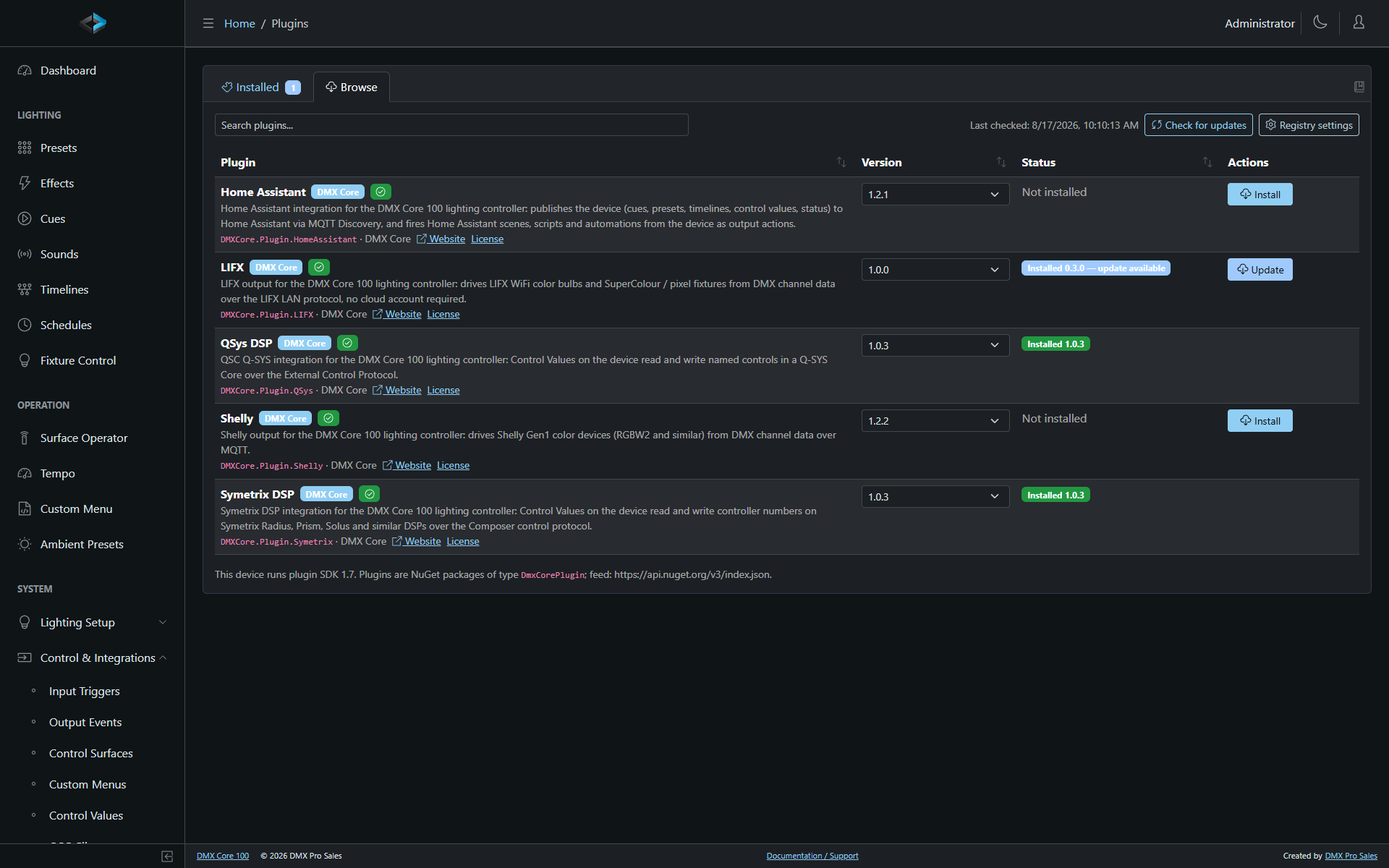
Press Install next to a plugin - the device downloads the package, verifies it, and starts it right away. When a plugin has several versions, the version dropdown lets you pick one - including an older version of an installed plugin, if a newer one misbehaves (the update check will offer the newer version again). Newly installed plugins appear on the Installed tab, where you enable/disable them and edit their settings.
Only versions that this device’s software can run are offered. If a plugin (or a newer version of it) needs a newer device software than you have, the Browse tab says so instead of offering it - update the device software first.
The device needs internet access to reach the registry. Sites without it can
still install plugins by uploading a .dmxplugin package on the
Installed tab (see below).
The Installed Tab
Each installed plugin is listed with its version, state, and - for plugins that maintain a connection to external equipment - a live connection indicator: a green link icon when the plugin is connected to its device (for example a DSP core), a red broken-link icon when it isn’t.
- Enabled - turn a plugin off without uninstalling it. Takes effect immediately: disabling stops a running plugin, enabling starts it.
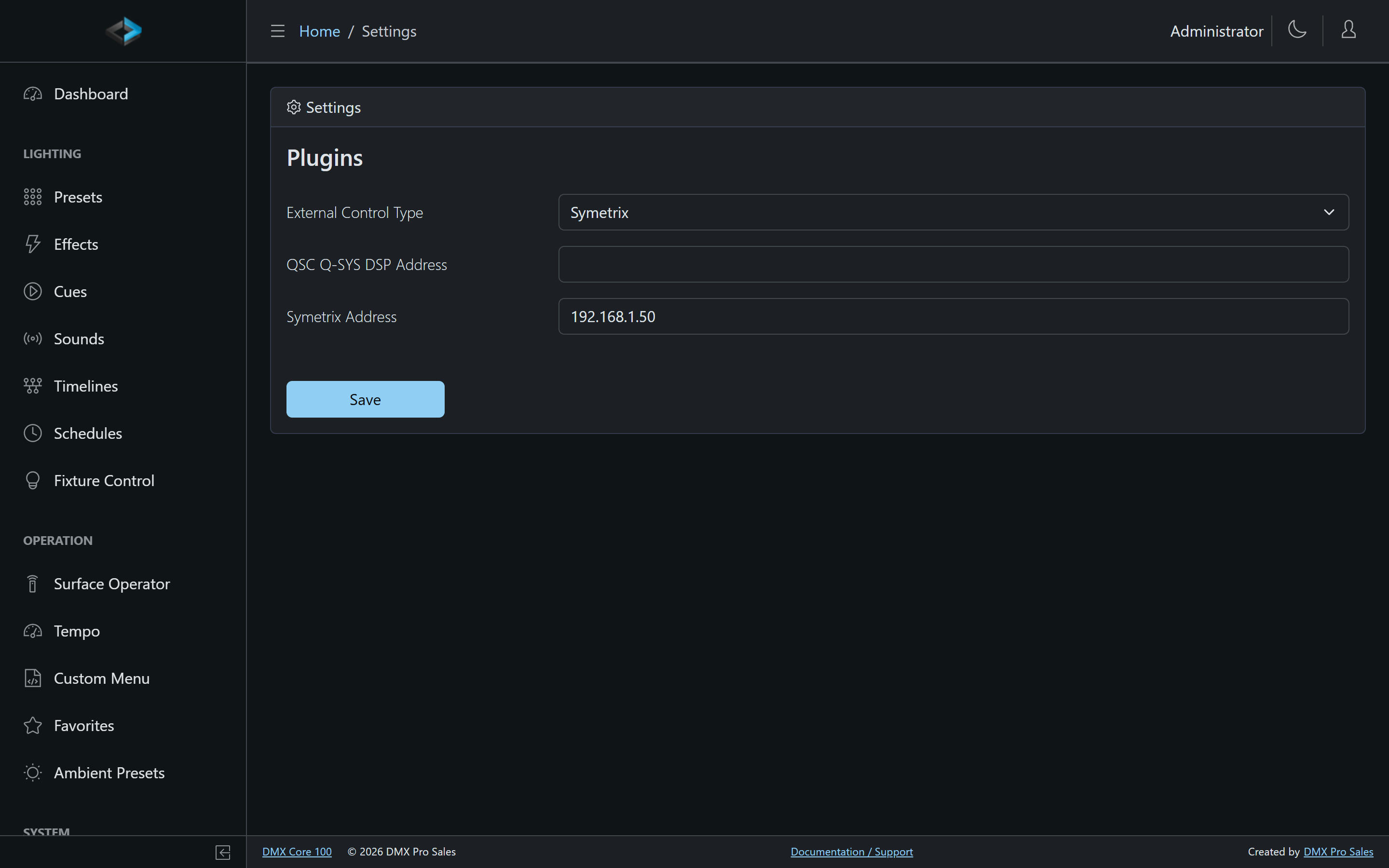
- Settings - each plugin declares its own settings (server addresses, ports, options), edited right on the page. Settings changes apply immediately, no restart needed - for the DSP plugins, saving a new address reconnects on the spot. The same panel shows which registry package the plugin came from and its per-plugin auto-update choice.
- Update - shown (with an arrow badge next to the version) when the registry has a newer version this device can run. One click downloads and applies it; the plugin’s settings are kept.
- Reload - restart just that plugin, without restarting the device. Useful if an integration is stuck or after changing something on the external system’s side.
- Delete - remove the plugin, effective immediately, together with its settings.
- Upload - install or update a plugin from a
.dmxpluginpackage file instead of the registry, for example on a device without internet access or for a plugin that is not published. The uploaded version starts running immediately.
Updates
The device checks the registry for plugin updates 1 minute after startup, then about once an hour with a few minutes of jitter, and whenever you press Check for updates on the Browse tab. An Auto policy can therefore apply an update mid-show. What happens when an update is found is set by the Update policy under Browse > Registry settings:
- Notify - show available updates, apply manually (default)
- Auto - download and apply updates automatically - the plugin restarts for a few seconds when the update is applied
- Off - do not check for updates
Individual plugins can override the device policy in their settings panel (Auto-update: Follow the device policy / Always update automatically / Never update automatically) - for example to auto-update everything except a DSP integration you’d rather update during a maintenance window.
Only versions this device’s software can run are ever offered or applied. Updating the device software may unlock newer plugin versions.
Registry Settings
Browse > Registry settings holds the update policy above plus:
- Pre-release versions - also offer plugin versions marked as pre-release (for testing; off by default).
- Feeds - the plugin registry is a standard NuGet feed; the default is
nuget.org, where all public DMX Core plugins are published. Additional
feeds (one per line, as NuGet V3 service index URLs - Azure Artifacts,
BaGet, and similar) let organizations distribute private plugins or run a
local mirror; a feed that needs a login takes the credentials in the URL
(
https://user:token@host/...).
DMX Core Plugins
Plugins published by DMX Core each have their own page:
| Plugin | What it does |
|---|---|
| Symetrix DSP | Two-way integration with Symetrix DSP cores |
| QSys DSP | Two-way integration with QSC Q-SYS cores |
| Home Assistant | Scenes, sliders, switches, and sensors via MQTT Discovery, both directions |
| Shelly | Shelly Gen1 color devices as fixtures, over MQTT |
| LIFX | LIFX bulbs and multizone fixtures as fixtures, over the LAN protocol |
| WiZ | WiZ / Philips Smart LED lights as fixtures, over the local UDP protocol |
| Govee | Govee WiFi strips, ropes, panels, and lamps as fixtures, over the LAN API |
| Lightjams Recorder Import | Import Lightjams Art-Net recorder videos as cues |
The Website link on each plugin in the Browse tab opens its page here. The Package link opens the plugin on nuget.org, which shows its README and, for plugins with public source, links to the repository.
Building Your Own
Anyone can build a plugin and publish it to the registry - see Building & Publishing Plugins.