
Lighting Software
The USB Interface shows up on the computer as a USB serial port: a COM port on Windows, /dev/cu.usbmodem… on macOS and /dev/ttyACM… on Linux. It speaks the Enttec DMX USB Pro protocol, with extensions for a second port. In lighting software, choose the option for an Enttec DMX USB Pro (port A only) or a DMXking ultraDMX (both ports), whichever the software offers.
This page lists what has been tested. If you try it with other software, we’d like to hear how it went: open an issue on GitHub.
Monitoring while your software runs
While your lighting software has the interface open, the DMX Core USB Interface Utility can show each port’s status and live DMX levels. It uses its own USB connection to the interface, not the serial port, so you can keep both open.
Two ports (DMX Core Pico 2)
By default the Pico 2 has one serial port for both DMX ports:
- Port A uses the standard Enttec messages, so any software that supports an Enttec DMX USB Pro can send and receive on it.
- Port B uses a two-port extension message. Only software that supports two-port extensions sends DMX to it.
Software that drives only one port per interface (Lightkey, and other software built on OLA) can use both ports if you turn on a serial port per DMX port. The Pico 2 then shows up as two one-port interfaces, each with its own serial port, and two programs can each drive a port.
Using port A as an input
Port A starts out listening and forwards what it receives. Once a program sends DMX to it, it becomes an output and stays one until the program closes the serial port or stops sending (When the program stops).
Some software sends output frames to every port it has open, even when you only want input. If the input stops working, set port A to Input in the settings. The interface then drops output frames for port A and keeps listening.
Lightkey (macOS)
Tested: Lightkey finds the interface and sends DMX.
- Plug in the interface.
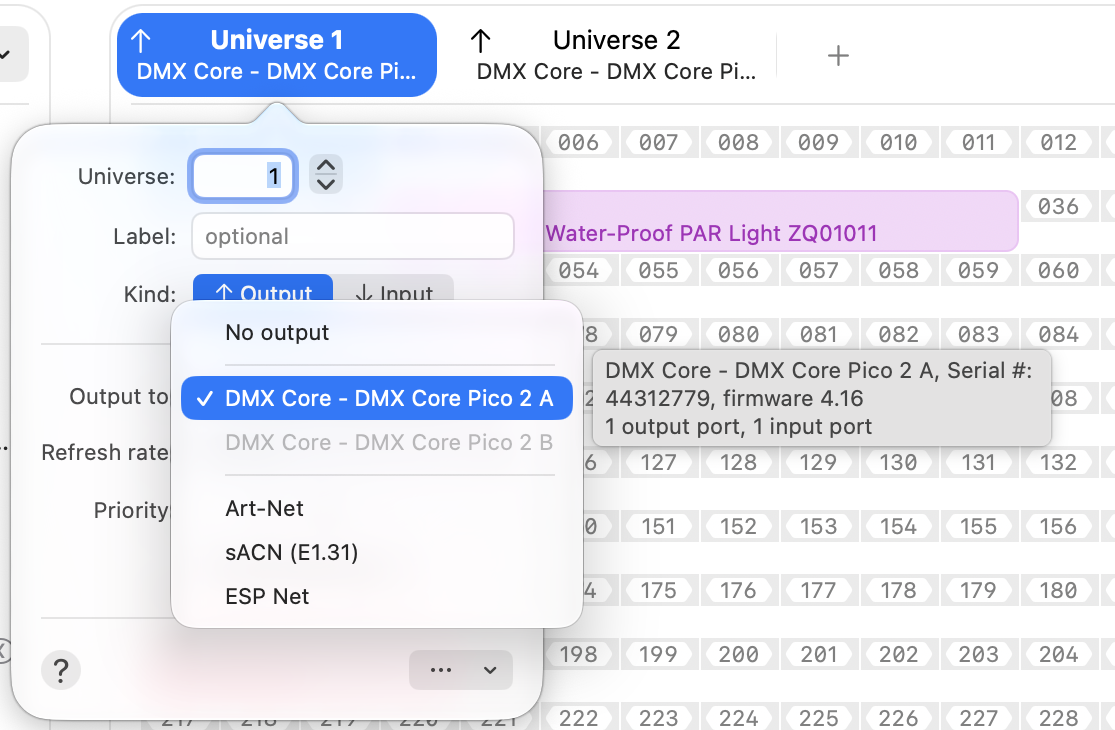
- In Lightkey, click a universe’s tab to open its settings, and under Output to pick DMX Core - DMX Core Pico 2.
Lightkey uses one port per interface, so on a DMX Core Pico 2 it drives port A. To use both ports, turn on a serial port per DMX port in the USB Interface Utility (Settings, Advanced). Lightkey then lists DMX Core - DMX Core Pico 2 A and DMX Core - DMX Core Pico 2 B: pick A for one universe and B for another. Each port can only be used by one universe, so the one already in use is grayed out.
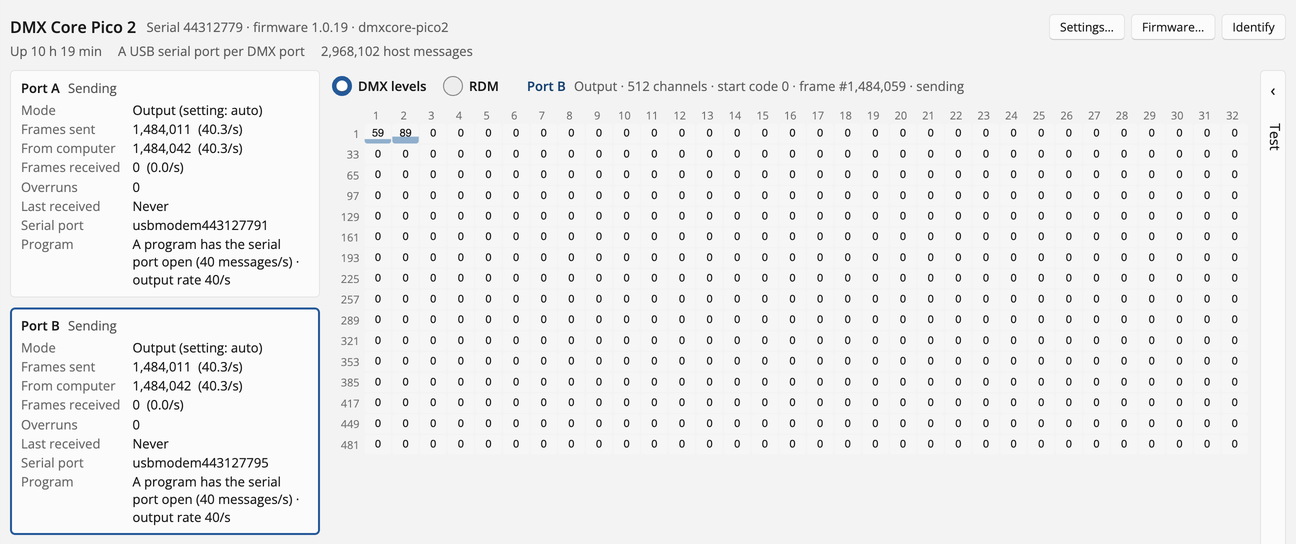
The USB Interface Utility shows port status and DMX levels while Lightkey is using the interface, so you can check what goes out on each port during a show.
DMX input works too: with a serial port per DMX port, set a universe’s Kind to Input, and under Input from pick DMX Core - DMX Core Pico 2 A or B. The DMX received on that port shows up in Lightkey’s DMX monitor. Tested on both ports.
Lightjams (Windows)
Tested: Lightjams finds the interface and sends DMX.
Lightjams sends to one USB serial interface only, even when several are connected, so on a DMX Core Pico 2 it drives one DMX port: port A by default. To drive port B instead, turn on a serial port per DMX port and pick port B’s serial port in Lightjams (tested). Lightjams still drives only one of the two at a time. For more universes, use Lightjams’ Art-Net or sACN output.
FreeStyler (Windows)
Tested with FreeStylerX2 on Windows 11: FreeStyler sends DMX on port A, and on both ports with a serial port per DMX port.
- Plug in the interface.
- In FreeStyler, open Setup > Interface.
- For Universe 1, choose EUROLITE USB-DMX512-Pro and pick the interface’s COM port.
Don’t choose Enttec PRO: that entry only lists interfaces that use FTDI’s driver, so it never finds the USB Interface.
FreeStyler drives port A only, unless you turn on a serial port per DMX port. Then choose EUROLITE USB-DMX512-Pro for Universe 1 with port A’s COM port, and again for Universe 2 with port B’s COM port.
If FreeStyler reports Error creating output thread. (Invalid port number), see Windows says the COM port is in use or invalid.
OLA, Open Lighting Architecture (Linux)
Tested with OLA 0.10.9 on Ubuntu: OLA finds the interface as a USB Pro device on port A, with RDM. ola_rdm_discover, ola_rdm_get and ola_rdm_set work while DMX is streaming.
OLA needs two changes before it finds the interface:
- OLA’s USB serial plugin only looks at
ttyUSBdevices by default. Tell it to look atttyACMdevices too. - Keep ModemManager from opening the serial port, since it can probe the port when the interface is plugged in.
echo 'device_prefix = ttyACM' | sudo tee -a /etc/ola/ola-usbserial.confecho 'ATTRS{idVendor}=="2e8a", ATTRS{idProduct}=="1180", ENV{ID_MM_DEVICE_IGNORE}="1"' | sudo tee /etc/udev/rules.d/60-dmxcore-mm.rulessudo udevadm control --reload && sudo systemctl restart oladThen plug the interface in (again) and patch its port to a universe in OLA’s web interface.
OLA uses one port per interface (port A on a DMX Core Pico 2). To use port B as well, turn on a serial port per DMX port; OLA then finds two interfaces.
QLC+
Not supported yet. QLC+ only lists USB DMX interfaces whose USB ID is on its own list, and the USB Interface’s ID (2E8A:1180) is not on that list yet. We’re working on getting support added to QLC+, and will update this page when a QLC+ version that lists the interface is available.
Other software
Software that supports an Enttec DMX USB Pro or a DMXking ultraDMX through a serial (COM) port may work, but has not been tested. A few things to know:
- Software that uses FTDI’s D2XX driver to find interfaces, instead of the serial port, does not see the interface.
- The interface identifies itself as DMX Core, not as Enttec or DMXking. Software that only accepts its own vendor’s interfaces won’t use it.
- If the software lists interfaces by USB ID, it needs
2E8A:1180on its list.
© 2026 DMX Pro Sales, LLC. All rights reserved. DMX Core is a registered trademark of DMX Pro Sales, LLC. Other product names are trademarks of their respective owners.